How to self-host your own Cashu ecash mint with Nutshell and send some ecash tokens🥜

CASHU AND ECASH ARE EXPERIMENTAL PROJECTS. BY THE OWN NATURE OF CASHU ECASH, IT’S REALLY EASY TO LOSE YOUR SATS BY LACKING OF KNOWLEDGE OF THE SYSTEM MECHANICS. PLEASE, FOR YOUR OWN GOOD, ALWAYS USE FEW SATS AMOUNT IN THE BEGINNING TO FULLY UNDERSTAND HOW WORKS THE SYSTEM. ECASH IS BASED ON A TRUST RELATIONSHIP BETWEEN YOU AND THE MINT OWNER, PLEASE DONT TRUST ECASH MINT YOU DONT KNOW. IT IS POSSIBLE TO GENERATE UNLIMITED ECASH TOKENS FROM A MINT, THE ONLY WAY TO VALIDATE THE REAL EXISTENCE OF THE ECASH TOKENS IS TO DO A MULTIMINT SWAP (BETWEEN MINTS). PLEASE, ALWAYS DO A MULTISWAP MINT IF YOU RECEIVE SOME ECASH FROM SOMEONE YOU DON’T KNOW/TRUST. NEVER TRUST A MINT YOU DONT KNOW!
IF YOU WANT TO RUN AN ECASH MINT WITH A BTC LIGHTNING NODE IN BACK-END, PLEASE DEDICATE THIS LN NODE TO YOUR ECASH MINT. A BAD MANAGEMENT OF YOUR LN NODE COULD LET PEOPLE TO LOOSE THEIR SATS BECAUSE THEY HAD ONCE TRUSTED YOUR MINT AND YOU DID NOT MANAGE THE THINGS RIGHT.

What’s ecash/Cashu ?
I recently listened a passionnating interview from calle 👁️⚡👁 invited by the podcast channel What Bitcoin Did about the new (not so much now) Cashu protocol.
Cashu is a a free and open-source Chaumian ecash project built for Bitcoin protocol, recently created in order to let users send/receive Ecash over BTC Lightning network. The main Cashu ecash goal is to finally give you a “by-design” privacy mechanism to allow us to do anonymous Bitcoin transactions.
Ecash for your privacy.
A Cashu mint does not know who you are, what your balance is, or who you’re transacting with. Users of a mint can exchange ecash privately without anyone being able to know who the involved parties are. Bitcoin payments are executed without anyone able to censor specific users.
Here are some useful links to begin with Cashu ecash :
Github repo: https://github.com/cashubtc
Documentation: https://docs.cashu.space
To support the project: https://docs.cashu.space/contribute
A Proof of Liabilities Scheme for Ecash Mints: https://gist.github.com/callebtc/ed5228d1d8cbaade0104db5d1cf63939
Like NOSTR and its own NIPS, here is the list of the Cashu ecash NUTs (Notation, Usage, and Terminology): https://github.com/cashubtc/nuts?tab=readme-ov-file
I won’t explain you at lot more on what’s Casu ecash, you need to figured out by yourself. It’s really important in order to avoid any mistakes you could do with your sats (that you’ll probably regret).
If you don’t have so much time, you can check their FAQ right here: https://docs.cashu.space/faq
I strongly advise you to listen Calle’s interviews @whatbbitcoindid to “fully” understand the concept and the Cashu ecash mechanism before using it:
Scaling Bitcoin Privacy with Calle
In the meantime I’m writing this article, Calle did another really interesting interview with ODELL from CitadelDispatch:
CD120: BITCOIN POWERED CHAUMIAN ECASH WITH CALLE
Which ecash apps?
There are several ways to send/receive some Ecash tokens, you can do it by using mobile applications like eNuts, Minibits or by using Web applications like Cashu.me, Nustrache or even npub.cash. On these topics, BTC Session Youtube channel offers high quality contents and very easy to understand key knowledge on how to use these applications :
Minibits BTC Wallet: Near Perfect Privacy and Low Fees - FULL TUTORIAL
Cashu Tutorial - Chaumian Ecash On Bitcoin
Unlock Perfect Privacy with eNuts: Instant, Free Bitcoin Transactions Tutorial
Cashu ecash is a very large and complex topic for beginners. I’m still learning everyday how it works and the project moves really fast due to its commited developpers community. Don’t forget to follow their updates on Nostr to know more about the project but also to have a better undertanding of the Cashu ecash technical and political implications.
There is also a Matrix chat available if you want to participate to the project:
https://matrix.to/#/#cashu:matrix.org
How to self-host your ecash mint with Nutshell
Cashu Nutshell is a Chaumian Ecash wallet and mint for Bitcoin Lightning. Cashu Nutshell is the reference implementation in Python.
Github repo:
https://github.com/cashubtc/nutshell
Today, Nutshell is the most advanced mint in town to self-host your ecash mint. The installation is relatively straightforward with Docker because a docker-compose file is available from the github repo.
Nutshell is not the only cashu ecash mint server available, you can check other server mint here :
https://docs.cashu.space/mints
The only “external” requirement is to have a funding source. One back-end funding source where ecash will mint your ecash from your Sats and initiate BTC Lightning Netwok transactions between ecash mints and BTC Ligtning nodes during a multimint swap. Current backend sources supported are: **FakeWallet*, LndRestWallet, CoreLightningRestWallet, BlinkWallet, LNbitsWallet, StrikeUSDWallet.
*FakeWallet is able to generate unlimited ecash tokens. Please use it carefully, ecash tokens issued by the FakeWallet can be sent and accepted as legit ecash tokens to other people ecash wallets if they trust your mint. In the other way, if someone send you 2,3M ecash tokens, please don’t trust the mint in the first place. You need to force a multimint swap with a BTC LN transaction. If that fails, someone has maybe tried to fool you.**
I used a Voltage.cloud BTC LN node instance to back-end my Nutshell ecash mint:
SPOILER: my nutshell mint is working but I have an error message “insufficient balance” when I ask a multiswap mint from wallet.cashu.me or the eNuts application. In order to make it work, I need to add some Sats liquidity (I can’t right now) to the node and open few channels with good balance capacity. If you don’t have an ecash mint capable of doig multiswap mint, you’ll only be able to mint ecash into your ecash mint and send ecash tokens to people trusting your mint. It’s working, yes, but you need to be able to do some mutiminit swap if you/everyone want to fully profit of the ecash system.
Once you created your account and you got your node, you need to git clone the Nutshell github repo:
git clone https://github.com/cashubtc/nutshell.git
You next need to update the docker compose file with your own settings. You can comment the wallet container if you don’t need it.
To generate a private key for your node, you can use this openssl command
openssl rand -hex 32
054de2a00a1d8e3038b30e96d26979761315cf48395aa45d866aeef358c91dd1
The CLI Cashu wallet is not needed right now but I’ll show you how to use it in the end of this article. Feel free to comment it or not.
version: "3"
services:
  mint:
    build:
      context: .
      dockerfile: Dockerfile
    container_name: mint
#    ports:
#      - "3338:3338"
    environment:
#      - DEBUG=TRUE
#      - LOG_LEVEL=DEBUG
      - MINT_URL=https://YourMintURL
      - MINT_HOST=YourMintDomain.tld
      - MINT_LISTEN_HOST=0.0.0.0
      - MINT_LISTEN_PORT=3338
      - MINT_PRIVATE_KEY=YourPrivateKeyFromOpenSSL
      - MINT_INFO_NAME=YourMintInfoName
      - MINT_INFO_DESCRIPTION=YourShortInfoDesc
      - MINT_INFO_DESCRIPTION_LONG=YourLongInfoDesc
      - MINT_LIGHTNING_BACKEND=LndRestWallet
      #- MINT_LIGHTNING_BACKEND=FakeWallet
      - MINT_INFO_CONTACT=[["email","YourConctact@email"], ["twitter","@YourTwitter"], ["nostr",  "YourNPUB"]]
      - MINT_INFO_MOTD=Thanks for using my mint!
      - MINT_LND_REST_ENDPOINT=https://YourVoltageNodeDomain:8080
      - MINT_LND_REST_MACAROON=YourDefaultAdminMacaroonBase64
      - MINT_MAX_PEG_IN=100000
      - MINT_MAX_PEG_OUT=100000
      - MINT_PEG_OUT_ONLY=FALSE
    command: ["poetry", "run", "mint"]

  wallet-voltage:
    build:
      context: .
      dockerfile: Dockerfile
    container_name: wallet-voltage
#    ports:
#      - "4448:4448"
    depends_on:
      - nutshell-voltage
    environment:
#      - DEBUG=TRUE
#      - MINT_URL=http://nutshell-voltage:3338
      - API_HOST=0.0.0.0
    command: ["poetry", "run", "cashu", "-d"]
To build, run and see the container logs:
docker compose up -d && docker logs -f mint
0.15.1
2024-03-22 14:45:45.490 | WARNING  | cashu.lightning.lndrest:__init__:49 - no certificate for lndrest provided, this only works if you have a publicly issued certificate
2024-03-22 14:45:45.557 | INFO     | cashu.core.db:__init__:135 - Creating database directory: data/mint
2024-03-22 14:45:45.68 | INFO | Started server process [1]
2024-03-22 14:45:45.69 | INFO | Waiting for application startup.
2024-03-22 14:45:46.12 | INFO | Loaded 0 keysets from database.
2024-03-22 14:45:46.37 | INFO | Current keyset: 003dba9e589023f1
2024-03-22 14:45:46.37 | INFO | Using LndRestWallet backend for method: 'bolt11' and unit: 'sat'
2024-03-22 14:45:46.97 | INFO | Backend balance: 1825000 sat
2024-03-22 14:45:46.97 | INFO | Data dir: /root/.cashu
2024-03-22 14:45:46.97 | INFO | Mint started.
2024-03-22 14:45:46.97 | INFO | Application startup complete.
2024-03-22 14:45:46.98 | INFO | Uvicorn running on http://0.0.0.0:3338 (Press CTRL+C to quit)
2024-03-22 14:45:47.27 | INFO | 172.19.0.22:48528 - "GET /v1/keys HTTP/1.1" 200
2024-03-22 14:45:47.34 | INFO | 172.19.0.22:48544 - "GET /v1/keysets HTTP/1.1" 200
2024-03-22 14:45:47.38 | INFO | 172.19.0.22:48552 - "GET /v1/info HTTP/1.1" 200
If you see the line :
Uvicorn running on http://0.0.0.0:3338 (Press CTRL+C to quit)
Nutshell is well started.
I won’t explain here how to create a reverse proxy to Nutshell, you can find how to do it into my previous article. Here is the reverse proxy config into Nginx Proxy Manager:
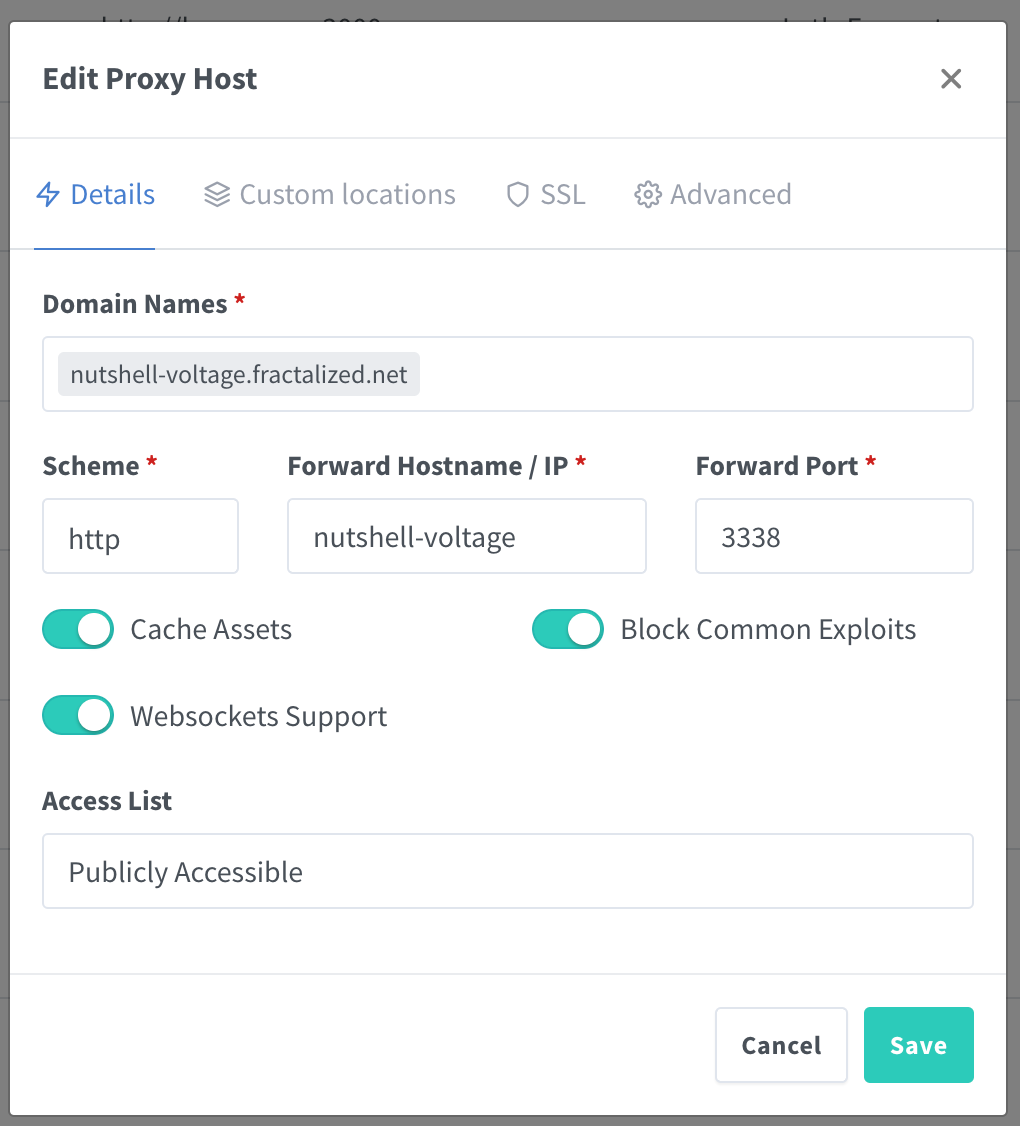
If everything is well configured and if you go on your mint url (https://yourminturl) you shoud see this:
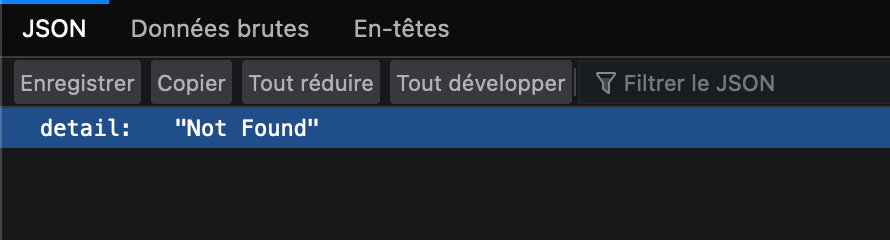
It’s not helping a lot because at first glance it seems to be not working but it is. You can also check these URL path to confirm :
or
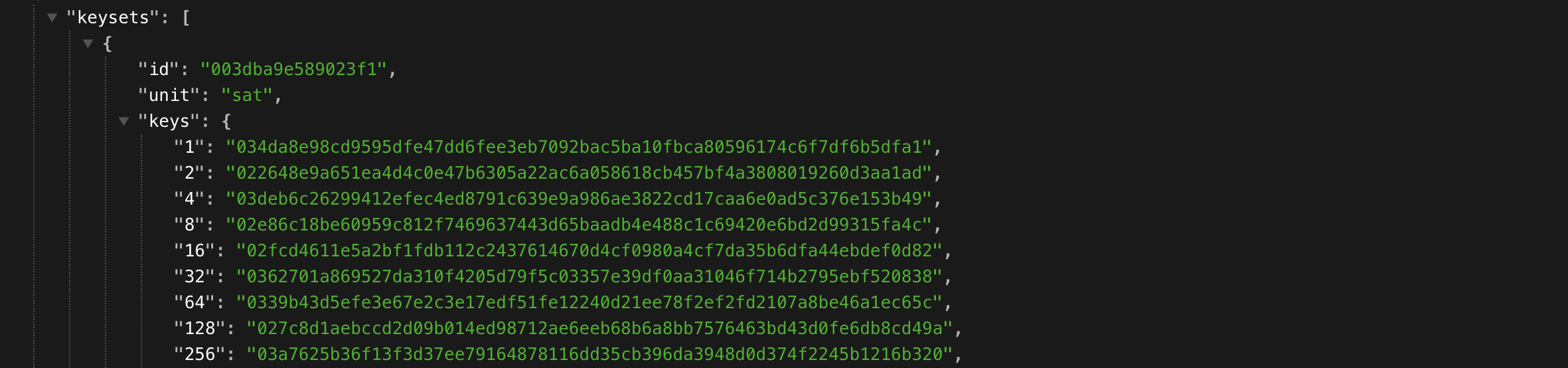
Depending of the moment when you read this article, the first URLs path might have been migrated to V1. Here is why:
https://github.com/cashubtc/nuts/pull/55
The final test is to add your mint to your prefered ecash wallets.
SPOILER: AT THIS POINT, YOU SHOUD KNOW THAT IF YOU RESET YOUR LOCAL BROWSER INTERNET CACHE FILE, YOU’LL LOSE YOUR MINTED ECASH TOKENS. IF NOT, PLEASE READ THE DOCUMENTATION AGAIN.
For instace, if we use wallet.cashu.me:
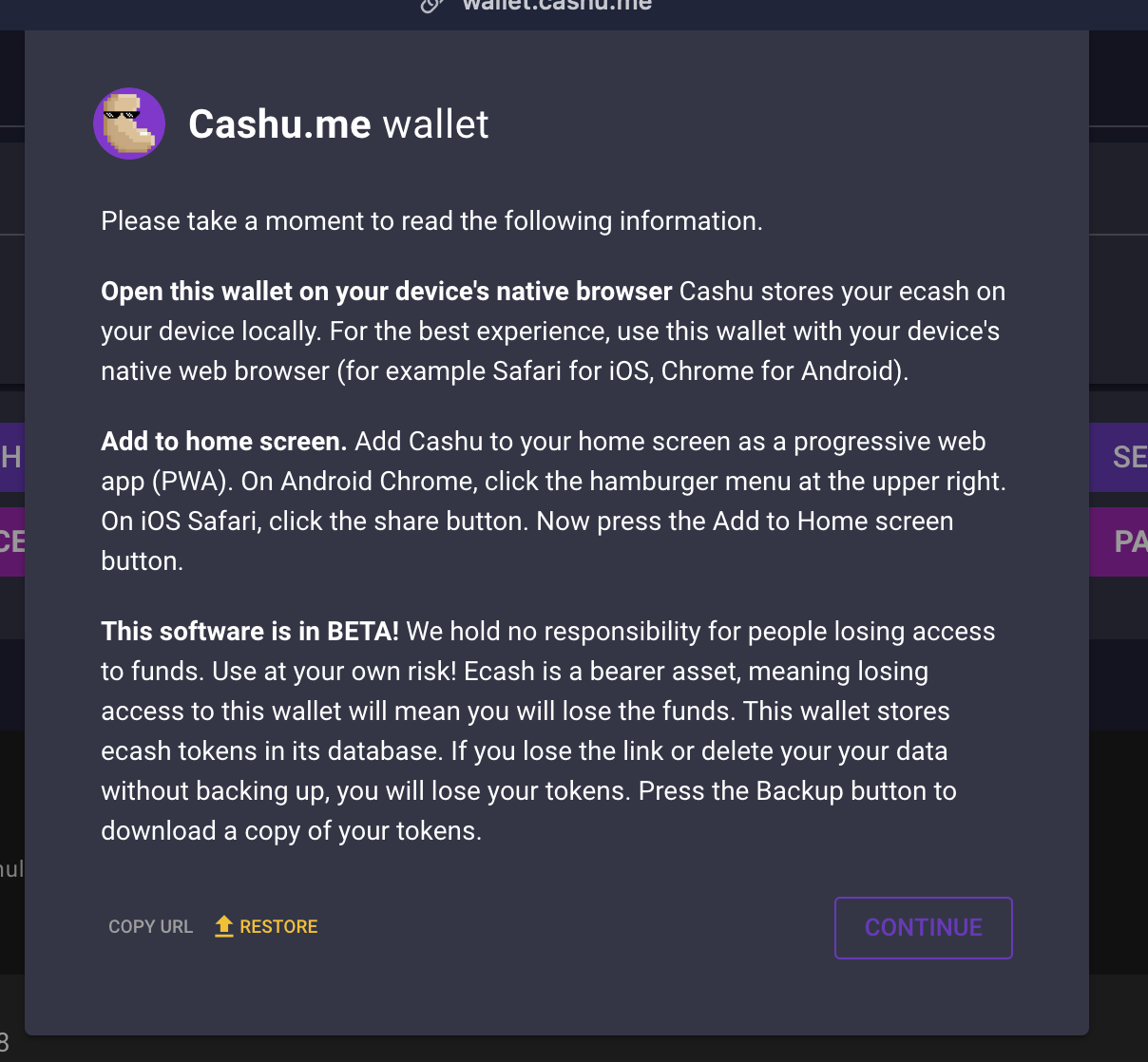
You can go into the “Settings” tab and add your mint :
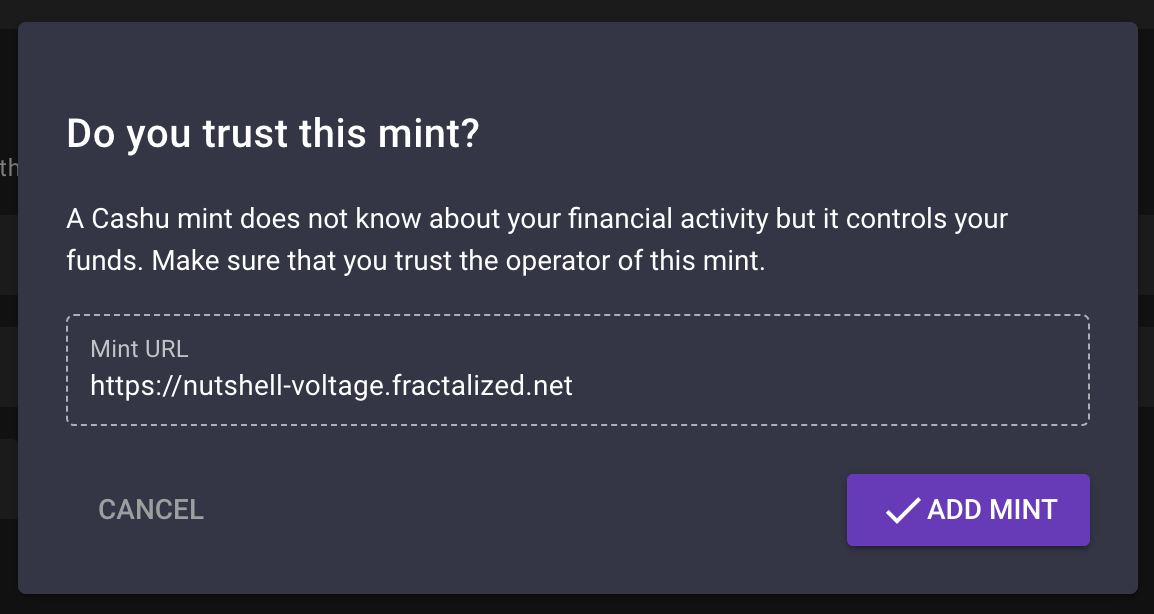
If everything went find, you shoud see this :
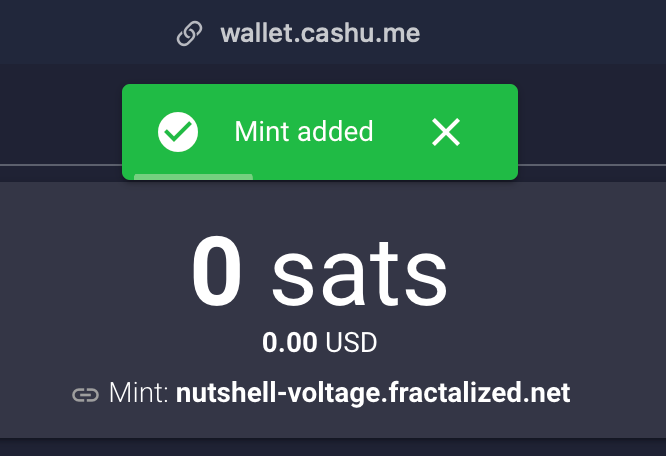
You can now mint some ecash from your mint creating a sats invoice :
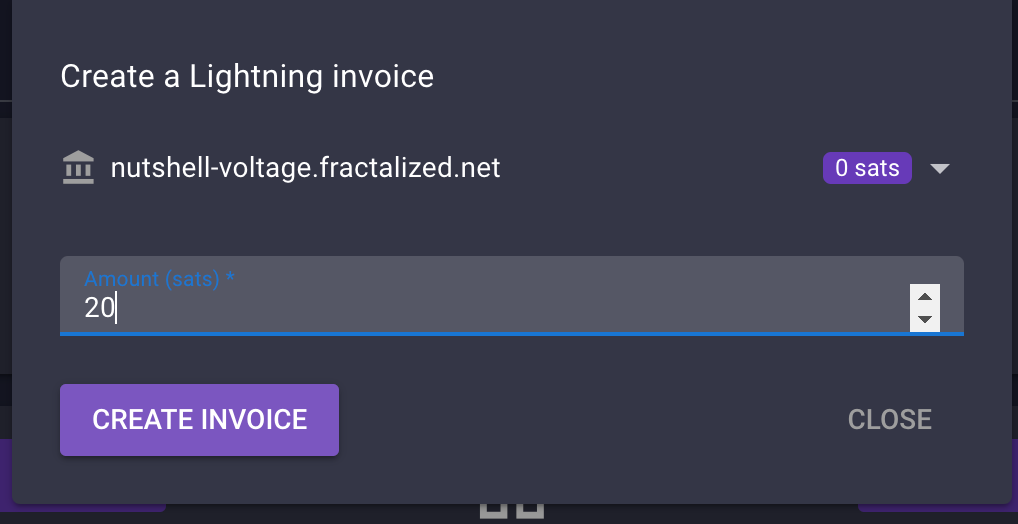
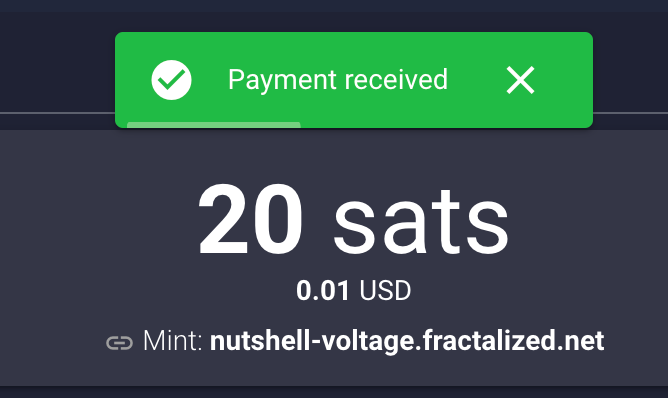
You can now scan the QR diplayed with your prefered BTC LN wallet. If everything is OK, you should receive the funds:
It may happen that some error popup sometimes. If you are curious and you want to know what happened, Cashu wallet has a debug console you can activate by clicking on the “Settings” page and “OPEN DEBUG TERMINAL”. A little gear icon will be displayed in the bottom of the screen. You can click on it, go to settings and enable “Auto Display If Error Occurs” and “Display Extra Information”. After enabling this setting, you can close the popup windows and let the gear icon enabled. If any error comes, this windows will open again and show you thé error:
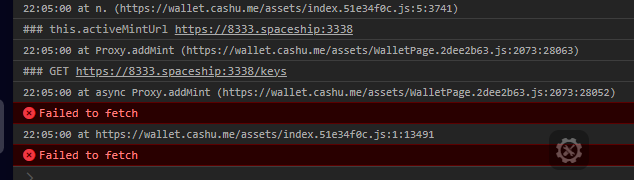
Now that you have some sats in your balance, you can try to send some ecash. Open in a new windows another ecash wallet like Nutstach for instance.
Add your mint again :
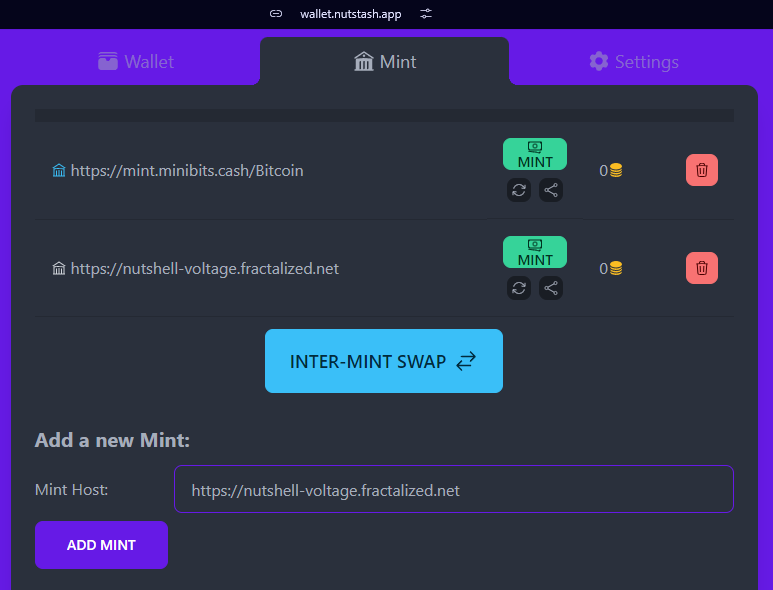
Return on Cashu wallet. The ecash token amount you see on the Cashu wallet home page is a total of all the ecash tokens you have on all mint connected.
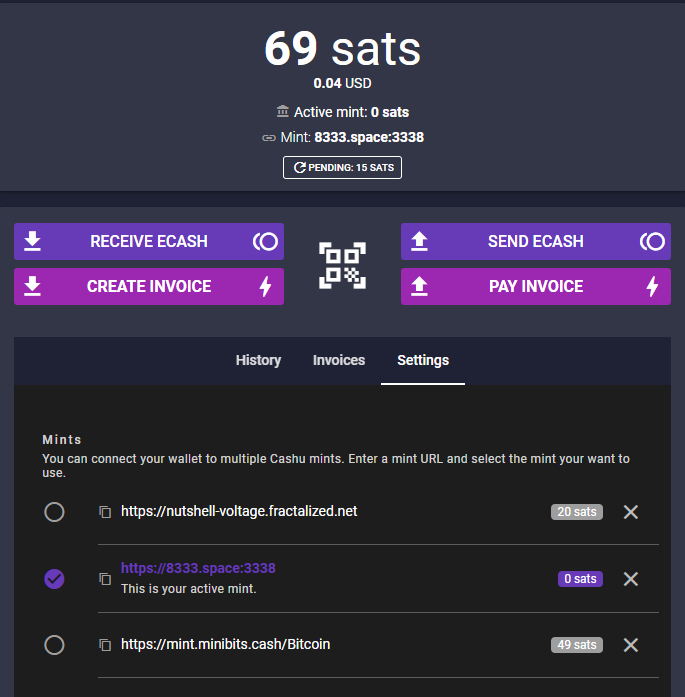
Next, click on “Send ecach”. Insert the amout of ecash you want to transfer to your other wallet. You can select the wallet where you want to extract the funds by click on the little arrow near the sats funds you currenly selected :
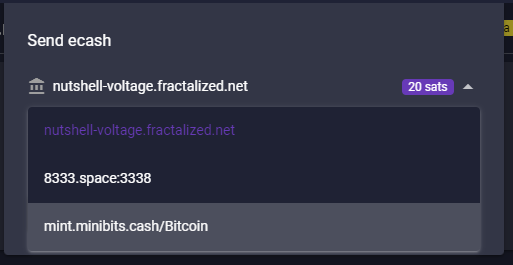
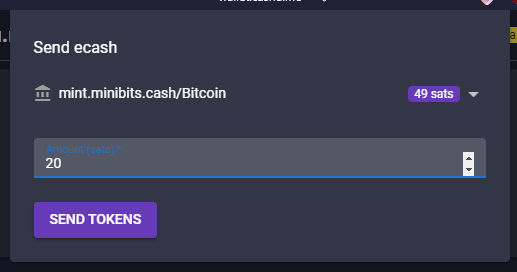
Click now on “SEND TOKENS”. That will open you a popup with a QR code and a code CONTAINING YOUR ECASH TOKENS (really).
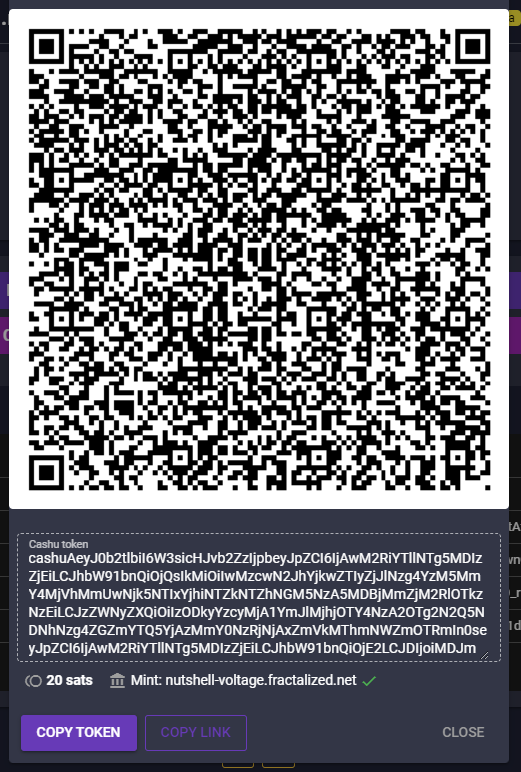
You can now return on nutstach, click on the “Receive” button and paste the code you get from Cashu wallet:
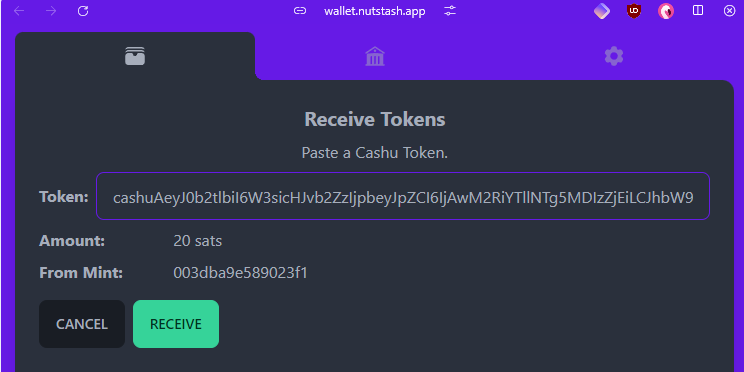
Click on “RECEIVE” again:
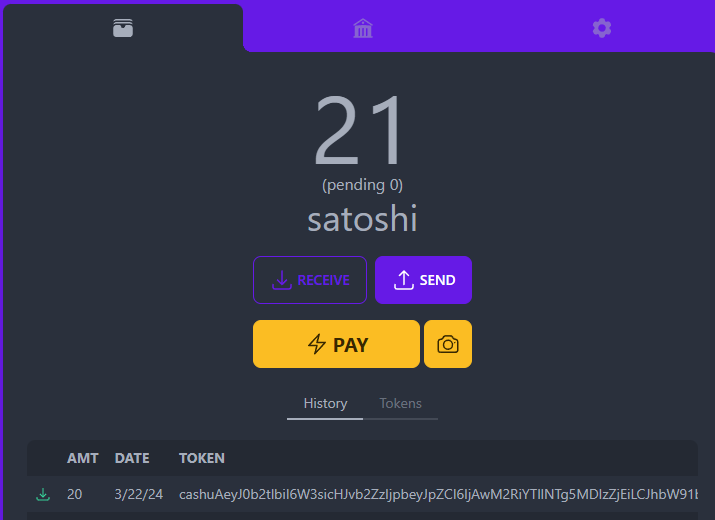
Congrats, you transfered your first ecash tokens to yourself ! 🥜⚡
You may need some time to transfer your ecash tokens between your wallets and your mint, there is a functionality existing for that called “Multimint swaps”.
Before that, if you need new mints, you can check the very new website Bitcoinmints.com that let you see the existing ecash mints and rating :
Don’t forget, choose your mint carefuly because you don’t know who’s behind.
Let’s take a mint and add it to our Cashu wallet:
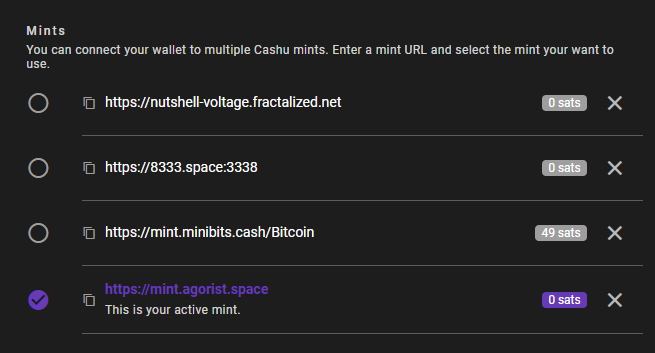
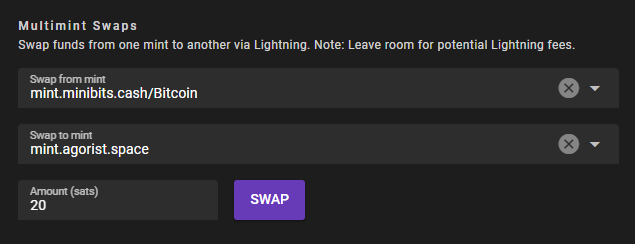
If you want to transfer let’s say 20 sats from minibits mint to bitcointxoko mint, go just bottom into the “Multimint swap” section. Select the mint into “Swap from mint”, the mint into “Swap to mint” and click on “SWAP” :
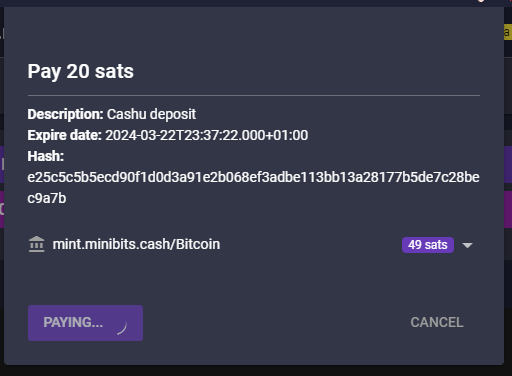
A popup window will appear and will request the ecash tokens from the source mint. It will automatically request the ecash amount via a Lightning node transaction and add the fund to your other wallet in the target mint. As it’s a Lightning Network transaction, you can expect some little fees.
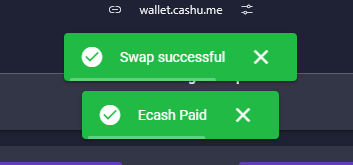
If everything is OK with the mints, the swap will be successful and the ecash received.
You can now see that the previous sats has been transfered (minus 2 fee sats).
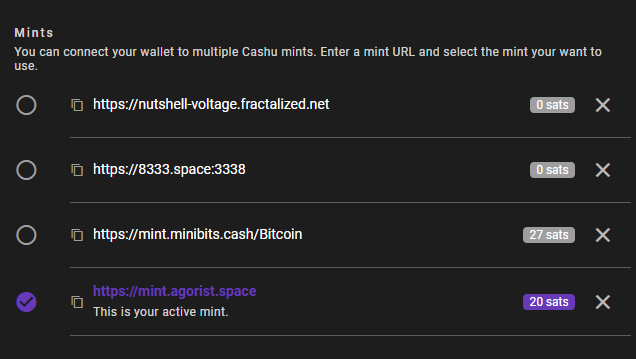
Well done, you did your first multimint swap ! 🥜⚡
One last thing interresting is you can also use CLI ecash wallet. If you created the wallet contained in the docker compose, the container should be running.
Here are some commands you can do.
To verify which mint is currently connected :
docker exec -it wallet-voltage poetry run cashu info

2024-03-22 21:57:24.91 | DEBUG | cashu.wallet.wallet:__init__:738 | Wallet initialized
2024-03-22 21:57:24.91 | DEBUG | cashu.wallet.wallet:__init__:739 | Mint URL: https://nutshell-voltage.fractalized.net
2024-03-22 21:57:24.91 | DEBUG | cashu.wallet.wallet:__init__:740 | Database: /root/.cashu/wallet
2024-03-22 21:57:24.91 | DEBUG | cashu.wallet.wallet:__init__:741 | Unit: sat
2024-03-22 21:57:24.92 | DEBUG | cashu.wallet.wallet:__init__:738 | Wallet initialized
2024-03-22 21:57:24.92 | DEBUG | cashu.wallet.wallet:__init__:739 | Mint URL: https://nutshell-voltage.fractalized.net
2024-03-22 21:57:24.92 | DEBUG | cashu.wallet.wallet:__init__:740 | Database: /root/.cashu/wallet
2024-03-22 21:57:24.92 | DEBUG | cashu.wallet.wallet:__init__:741 | Unit: sat
Version: 0.15.1
Wallet: wallet
Debug: True
Cashu dir: /root/.cashu
Mints:
  - https://nutshell-voltage.fractalized.net
To verify your balance :
docker exec -it wallet-voltage poetry run cashu balance

2024-03-22 21:59:26.67 | DEBUG | cashu.wallet.wallet:__init__:738 | Wallet initialized
2024-03-22 21:59:26.67 | DEBUG | cashu.wallet.wallet:__init__:739 | Mint URL: https://nutshell-voltage.fractalized.net
2024-03-22 21:59:26.67 | DEBUG | cashu.wallet.wallet:__init__:740 | Database: /root/.cashu/wallet
2024-03-22 21:59:26.67 | DEBUG | cashu.wallet.wallet:__init__:741 | Unit: sat
2024-03-22 21:59:26.68 | DEBUG | cashu.wallet.wallet:__init__:738 | Wallet initialized
2024-03-22 21:59:26.68 | DEBUG | cashu.wallet.wallet:__init__:739 | Mint URL: https://nutshell-voltage.fractalized.net
2024-03-22 21:59:26.68 | DEBUG | cashu.wallet.wallet:__init__:740 | Database: /root/.cashu/wallet
2024-03-22 21:59:26.68 | DEBUG | cashu.wallet.wallet:__init__:741 | Unit: sat
Balance: 0 sat
To create an sats invoice to have ecash :
docker exec -it wallet-voltage poetry run cashu invoice 20

2024-03-22 22:00:59.12 | DEBUG | cashu.wallet.wallet:_load_mint_info:275 | Mint info: name='nutshell.fractalized.net' pubkey='02008469922e985cbc5368ce16adb6ed1aaea0f9ecb21639db4ded2e2ae014a326' version='Nutshell/0.15.1' description='Official Fractalized Mint' description_long='TRUST THE MINT' contact=[['email', 'pastagringo@fractalized.net'], ['twitter', '@pastagringo'], ['nostr', 'npub1ky4kxtyg0uxgw8g5p5mmedh8c8s6sqny6zmaaqj44gv4rk0plaus3m4fd2']] motd='Thanks for using official ecash fractalized mint!' nuts={4: {'methods': [['bolt11', 'sat']], 'disabled': False}, 5: {'methods': [['bolt11', 'sat']], 'disabled': False}, 7: {'supported': True}, 8: {'supported': True}, 9: {'supported': True}, 10: {'supported': True}, 11: {'supported': True}, 12: {'supported': True}}
Balance: 0 sat

Pay invoice to mint 20 sat:

Invoice: lnbc200n1pjlmlumpp5qh68cqlr2afukv9z2zpna3cwa3a0nvla7yuakq7jjqyu7g6y69uqdqqcqzzsxqyz5vqsp5zymmllsqwd40xhmpu76v4r9qq3wcdth93xthrrvt4z5ct3cf69vs9qyyssqcqppurrt5uqap4nggu5tvmrlmqs5guzpy7jgzz8szckx9tug4kr58t4avv4a6437g7542084c6vkvul0ln4uus7yj87rr79qztqldggq0cdfpy

You can use this command to check the invoice: cashu invoice 20 --id 2uVWELhnpFcNeFZj6fWzHjZuIipqyj5R8kM7ZJ9_

Checking invoice .................2024-03-22 22:03:25.27 | DEBUG | cashu.wallet.wallet:verify_proofs_dleq:1103 | Verified incoming DLEQ proofs.
 Invoice paid.

Balance: 20 sat
To pay an invoice by pasting the invoice you received by your or other people :
docker exec -it wallet-voltage poetry run cashu pay lnbc150n1pjluqzhpp5rjezkdtt8rjth4vqsvm50xwxtelxjvkq90lf9tu2thsv2kcqe6vqdq2f38xy6t5wvcqzzsxqrpcgsp58q9sqkpu0c6s8hq5pey8ls863xmjykkumxnd8hff3q4fvxzyh0ys9qyyssq26ytxay6up54useezjgqm3cxxljvqw5vq2e94ru7ytqc0al74hr4nt5cwpuysgyq8u25xx5la43mx4ralf3mq2425xmvhjzvwzqp54gp0e3t8e

2024-03-22 22:04:37.23 | DEBUG | cashu.wallet.wallet:_load_mint_info:275 | Mint info: name='nutshell.fractalized.net' pubkey='02008469922e985cbc5368ce16adb6ed1aaea0f9ecb21639db4ded2e2ae014a326' version='Nutshell/0.15.1' description='Official Fractalized Mint' description_long='TRUST THE MINT' contact=[['email', 'pastagringo@fractalized.net'], ['twitter', '@pastagringo'], ['nostr', 'npub1ky4kxtyg0uxgw8g5p5mmedh8c8s6sqny6zmaaqj44gv4rk0plaus3m4fd2']] motd='Thanks for using official ecash fractalized mint!' nuts={4: {'methods': [['bolt11', 'sat']], 'disabled': False}, 5: {'methods': [['bolt11', 'sat']], 'disabled': False}, 7: {'supported': True}, 8: {'supported': True}, 9: {'supported': True}, 10: {'supported': True}, 11: {'supported': True}, 12: {'supported': True}}
Balance: 20 sat
2024-03-22 22:04:37.45 | DEBUG | cashu.wallet.wallet:get_pay_amount_with_fees:1529 | Mint wants 0 sat as fee reserve.
2024-03-22 22:04:37.45 | DEBUG | cashu.wallet.cli.cli:pay:189 | Quote: quote='YpNkb5f6WVT_5ivfQN1OnPDwdHwa_VhfbeKKbBAB' amount=15 fee_reserve=0 paid=False expiry=1711146847
Pay 15 sat? [Y/n]: y
Paying Lightning invoice ...2024-03-22 22:04:41.13 | DEBUG | cashu.wallet.wallet:split:613 | Calling split. POST /v1/swap
2024-03-22 22:04:41.21 | DEBUG | cashu.wallet.wallet:verify_proofs_dleq:1103 | Verified incoming DLEQ proofs.
 Error paying invoice: Mint Error: Lightning payment unsuccessful. insufficient_balance (Code: 20000)
It didn’t work, yes. That’s the thing I told you earlier but it would work with a well configured and balanced Lightning Node.
That’s all ! You should now be able to use ecash as you want! 🥜⚡
See you on NOSTR! 🤖⚡
PastaGringo
Write a comment