Amethyst Manual - Chapter 8: Relays And Outbox Model
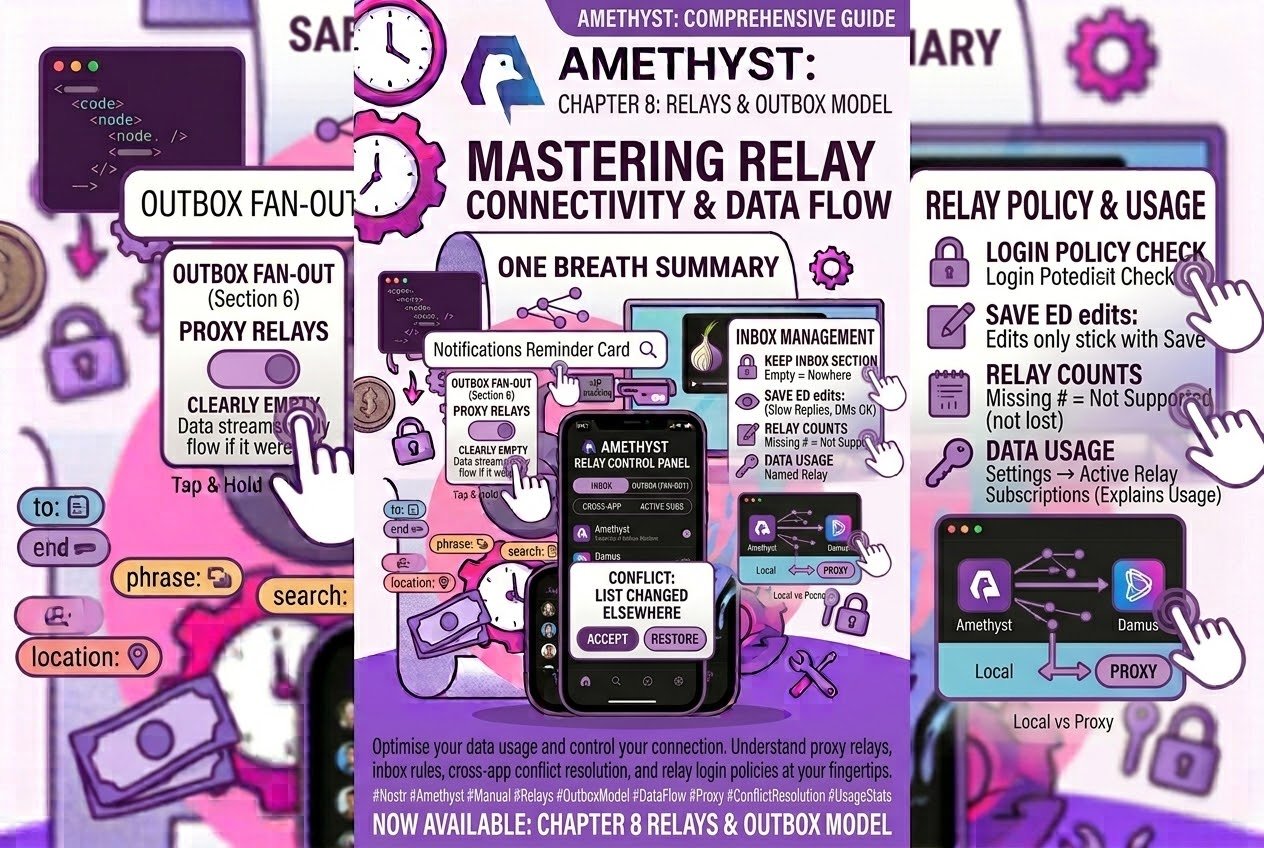
- Where your posts actually go
- Empty is not unknown
- Proxy Relays: the single switch for fan-out
- What fan-out costs
- Reading the counts in every relay row
- Saving your relay lists
- When another app changed your lists
- The other lists, briefly
- Managing a relay you operate
- Relay groups that move
- Relay login: who gets your pubkey
- Answering “why is this app using data”
- Three you can check in a minute
- The whole thing in one breath
Where your posts actually go
Every other app you use has a server. You post, it lands there, and the server decides who sees it. Nostr has no server, and that single absence explains nearly everything distinctive about how #amethyst behaves — including why it is happily talking to ninety machines you have never heard of while you sit there reading four posts about coffee.
So here is the only mental model you need: your phone is the sorting office. It is also why one four-second edit on the Relays screen can change where your mail gets delivered — we’ll get to that.
There is no central post office. Instead, everybody publishes a small, signed, public card that says two things: here is where my posts are stocked, and here is where you deliver my mail. That card is all anyone gets. So your phone reads the card of every single person you follow, works out which shops it needs to visit, and then does the round itself — one call per shop, picking up posts for everyone that shop stocks. Your feed is not downloaded. It is assembled, door to door, by your phone, every time.
Two halves of your own card, both in Drawer → Relays (or Settings → Relays — the same screen, one tap longer; its own header calls itself “Relay Settings”):
- Public Outbox/Home Relays (section 1) — the shops that stock you. When you post, Amethyst writes it here — plus the letterbox of anyone you mention or reply to, so they hear about it. This is the address you are advertising to the world as “come here to read me.”
- Public Inbox Relays (section 2) — your letterbox. This is where you are telling everyone else’s app to deliver replies, mentions, likes, zaps and notifications addressed to you. Amethyst watches these for incoming mail.
A relay can be both, and on a new account all three starter relays — nostr.mom, nos.lol, nostr.bitcoiner.social — are. List one only under Outbox and it carries your posts but no mail comes back; list one only under Inbox and it takes your mail but your posts are not discoverable there.
What this feels like, day to day: Amethyst connects to far more relays than you configured, and that’s normal — those are your follows’ outbox relays. Someone’s posts can drop out of your feed for reasons entirely on their side — their card points at a relay that went offline two months ago, and your app is working exactly as designed. And if your own card points nowhere, your mail all but stops arriving — so it is worth knowing how the app reads it.
That last one is the rest of this post, really. Let’s start there, because it is the edit with the biggest effect in the app and it takes four seconds to make.
Empty is not unknown
Amethyst deliberately treats two situations differently:
- You have never published a relay list → the app substitutes sensible defaults and everything works.
- You have published a relay list that is empty → the app honours the emptiness. You said nowhere. It uses nowhere.
This is by design. It was a deliberate change in v1.15.0 — before that an empty list fell back to defaults, and it was changed because honouring what you actually published is the correct behaviour when your list is a public statement.
It is worth keeping in mind while editing, because your outbox and inbox sections are two halves of one published card. Clear out your inbox section, press Save, and you have published a delivery address of “nowhere.” Replies, mentions, likes and zap receipts then arrive only through a slow background sweep of your follows’ relays, a few relays at a time. Your posts still go out perfectly, so from the outside the app looks entirely healthy; what you notice is that the Notifications tab goes quiet.
Private messages carry on regardless: DMs arrive through DM Inbox Relays (section 3), a separate list, so your conversations continue as normal even with an empty inbox section.
One read-side fallback arrived in v1.17.0, and it goes exactly this far. The subscription that fetches your own profile, follow list and the lists the app keeps a saved copy of (see “When another app changed your lists”) used to ask your outbox relays only, so a card with no write relay fetched nothing of yours. It now falls back — outbox, then inbox, then the app’s defaults. That is reading only: publishing still honours what you published, and an empty inbox section still means “deliver nowhere”, quiet Notifications tab and all.
Save shows no warning for an empty list; the reminder lives elsewhere. A card reading “Set up your Public Inbox relays to receive notifications” appears at the top of the Notifications tab and above the post composer. If you have seen that card, this is what it is about.
The same rule applies to search. Save an empty Search Relays list and relay search uses only your Trusted Relays, if you have any — by default you don’t. The reminder here is a “Set up your Search relays” card on the search screen itself. Indexer Relays work the other way round: empty there always falls back to the five built-ins, whether you never configured the list or deliberately emptied it. Indexers therefore stay on even with the list cleared — which is also why pasting a stranger’s npub keeps resolving whatever else you have changed.
If your notifications have gone quiet: Drawer → Relays, look at section 2, and make sure there is something in it.
Proxy Relays: the single switch for fan-out
If what you want from Amethyst is less battery, less data, or fewer open connections, there is a single control that changes everything.
Drawer → Relays → section 6, Proxy Relays.
Put anything in that list and Amethyst stops using the outbox model entirely. No per-author fan-out, no rounds. It simply asks the relays you named for everything from everyone you follow. The in-app description says so outright — “This replaces the outbox model and will make the app connect to only the relays in your lists” — and you’ll find it in section 6 of 14, between Private Home Relays and Broadcast Relays.
It is empty by default, so everyone is running full fan-out out of the box.
Three things to know before you fill it in:
- It changes feeds only. DMs, notifications and publishing carry on using their own lists. Follow-pack feeds do honour it — with proxies set, a pack’s feed comes from your proxies rather than the members’ own relays.
- Aggregator relays that do this job well are often paid. Expect a service you buy, not a free switch.
- One of them,
filter.nostr.wine, sits on Amethyst’s hard-coded fan-out denylist precisely because it is meant to be used this way and not as an ordinary outbox relay. That is the app knowing what the relay is for; it works exactly as intended as a proxy.
What fan-out costs
Fan-out has no cap. Not a high one — none. Every write relay listed by every person you follow becomes a connection Amethyst makes and a request it sends. Follow a handful of people whose relay lists run to twenty entries each and all twenty go in.
You have three brakes. Blocked Relays (section 13) — “Amethyst will never connect to these” — overrides everything else including fan-out, and since v1.13.0 is enforced on every request, count and publish. A four-relay hard-coded denylist you cannot edit. And Proxy Relays, which switches the mechanism off wholesale. The brakes work at relay level rather than per person: the UI has no breakdown of which of your follows brings the most relays along.
Two things keep the bill down on their own. When someone publishes a card, only its write relays are queried for their notes; a follow with no usable card gets a fallback instead — relay hints the app has picked up along the way, then a short built-in list of event-finder relays. And subscriptions pause when the app goes to the background, with a 30-second grace period so flicking to your messages and back doesn’t churn every connection.
Reading the counts in every relay row
This is the best diagnostic in the app, and it rewards a careful read.
In Drawer → Relays, every row in the outbox, inbox, DM, KeyPackage, Private Home, Indexer and Search sections carries a live count, labelled for the section it sits in: “N events from you” on outbox and Private Home rows, “N events to you” on inbox rows, then “DMs”, “KeyPackages”, “profiles” and “outbox lists” (Indexer shows both), and “searchable events”. That is not an estimate from local cache — it is a live probe asking that relay how much it is actually holding. Outbox rows tell you how many of your own posts made it. Inbox rows tell you how many events tagging you have been delivered there.
A ~ in front of the number means the relay reported the count as approximate. Fine. Nothing to worry about.
If a relay does not implement the counting extension at all, no number appears. Keep the two cases apart: a blank means “this relay can’t count”, not “this relay has nothing of yours”. Before you conclude a relay dropped your data, tap the row and check its information screen for counting support — a healthy relay that simply lacks the feature shows a blank too.
Note too which sections never get a count: Proxy, Broadcast, Local, Trusted, Favorite Relay Feeds, Blocked and Connected. A blank line there is expected.
Underneath each row sits the rest of the picture — bytes down, bytes up, error count, connection success rate this session, and Spam: how many events from that relay the anti-spam filter threw away. It resets on restart, so read it as “today”, not “ever”. A relay at zero bytes down with a low success rate is one you can drop. And long-press each column: the app tells you what that number means. That long-press is the documentation.
Saving your relay lists
The Relay Settings screen stores nothing until you press Save. Every add, every removal, every reorder you made is discarded by a back gesture or the X, so finish your edits and then press Save. Save commits every editable list on the screen at once and publishes each as its own signed event — which also means a read-only npub login gets a signer error instead of a save.
One neighbour works the other way, and it’s worth knowing: Media Servers, a couple of rows away in the same settings list, publishes instantly on every change. Relays waits for Save; Media Servers doesn’t.
Two more things the screen can do:
- Drag the handle at the left of any row to reorder it. Order is meaningful: relay lists are published in the order you see.
- The share icon in the top bar is your off-device backup. It opens an Export dialog offering plain text or a ZIP of JSON, and it is the only route to getting your relay configuration off the device. It covers every list except KeyPackage Relays — note those down by hand.
The “Default” restore button exists on three sections — DM Inbox, Indexer and Search. Your outbox and inbox lists have no reset button, so if you ever want to return to the starters you re-enter them by hand — a good argument for pressing that share icon once, today, while the lists are the way you like them.
One for anyone who hand-edits their card in another client: a ws://127.0.0.1 entry in your outbox or inbox list is stripped when Amethyst reads it, so it never appears in the editor — and your next Save publishes a list without it. Use Local Relays (section 10) for that instead.
When another app changed your lists
Since v1.17.0 Amethyst keeps a saved copy of every list it publishes and compares it with each newer version a relay hands back. If the newer version removes something, it is held as a conflict instead of replacing the saved copy. Covered: your profile, follow list and mute list, your outbox/inbox card and every relay list on the Relay Settings screen, plus app settings, public chats, communities, hashtags, geohashes, wallets and payment targets — twenty-six types. Additions and edits alone never raise a conflict; they are only listed beside a removal. For your relay card, a relay losing its read or write marker counts as one.
“Another app” means any version not signed by the copy of Amethyst you are holding — so Amethyst on your other phone counts, as does any web or desktop client. Three types work differently: app settings, the Cashu wallet and the Concord community list raise a conflict only when their encrypted content comes back empty, not when individual items go.
The conflict is a lead card at the top of Home, on every Home tab: a headline such as “You unfollowed 12 people and followed 3”, “Changed in another app” with the time, and chips for what was removed, added or changed. Further open conflicts sit beneath it as slim pills. The card has two routes out, and no swipe or long-press: Accept keeps the other app’s version in one tap — the saved copy moves to it, nothing is published — and tapping the card opens the review screen. Until then the saved copy stays frozen on your version.
The review screen (“Follows updated”, “Relays cleared”, …) lists every removed, added and changed entry, with Dropped / New / Edited tabs for follows and inbox/outbox lanes for your relay card; each entry opens its own screen. Its two buttons are Use new version (the same as Accept) and a red outlined Restore, which re-signs your saved version with a fresh timestamp and publishes it — relay, DM and KeyPackage lists to every relay they name plus your outboxes, profile and wallet everywhere. Restore is hidden on a read-only login; a failed restore reopens the conflict.
Open conflicts are stored per account, survive a restart and close by themselves when a newer version arrives that no longer removes anything — that version then becomes the saved copy. There is no setting for any of this: it is always on, in both flavours.
The other lists, briefly
Everything below Inbox is a purpose-built list. A new account gets the ones it cannot function without pre-filled — DM Inbox, KeyPackage, Indexer, Search and two Favorite Relay Feeds — and the rest ship empty. An account that predates any of these lists, or arrived from another client, may have none of them.
- DM Inbox Relays (3) — where private messages reach you. Like your outbox/inbox card and the KeyPackage list, it is published everywhere — to your follows’ relays and every connected relay — because other people’s apps have to find it.
- KeyPackage Relays (4) — where other people’s apps fetch the key material they need to invite you into a Marmot encrypted group. New accounts get the three starter relays here; keep something in it so inviters have an advertised place to look.
- Private Home Relays (5) — empty by default. Add one and your drafts and app settings get backed up off-device, and cross-device draft sync starts working. Any plain-text entries another client left in this list are moved into its encrypted part the next time you save it.
- Broadcast Relays (7) — empty by default. Relays that specialise in pushing your notes out to everything else. Extra reach, opt-in.
- Indexer Relays (8) — the relays holding everyone’s profile and relay-list cards. New accounts get five; on an older account the section can look empty, and an empty list here does not mean none are in use — the five built-ins are.
- Trusted Relays (11) — the Tor exemption list. It is a privacy control rather than a quality rating: a trusted relay sees your real IP address.
- Favorite Relay Feeds (12) — pins a relay’s entire firehose into the feed picker. This is how you bookmark a single relay’s global feed.
- Connected Relays (bottom, read-only) — the sockets the app is actually holding right now. This is where the outbox model becomes visible: most of the entries will be your follows’ relays rather than your own.
Two things to know before editing. Saving certain lists deliberately republishes some of your old events — adding a Search relay republishes your profile, adding an Indexer republishes your profile and contact list — so a new relay isn’t left holding a blank version of you. And most of these lists are published encrypted, entries and all. The exceptions are Search Relays, created public, and the three that other people’s apps have to read — your outbox/inbox card, DM Inbox and KeyPackage — public by design because they must be.
Managing a relay you operate
Tap any relay row to reach its information screen. Two buttons there appear only when the relay’s information document advertises support: Members when it lists NIP-43, and the gear Manage when it lists NIP-86. Manage builds its tabs from the management methods the relay reports; a relay that supports none shows “No management methods available”.
Since v1.17.0 the Events tab has an “Allowed Events” section — Allow Event takes an event id (hex) and an optional reason, each entry has its own Remove, and Approve in the Moderation Queue now calls the same allow method, which also lifts any ban on that event — and the Kinds tab has a “Disallowed Kinds” section. Each appears only when the relay lists the matching method.
Roles and claims are shown, not managed. On the Members screen each member’s roles — definitions the relay signs with its own key — appear as colour-tinted chips, and an Invite code field sends its value as the claim with Request to Join. Creating or assigning roles and managing claims live in the amy command-line client, not in the app. If the relay publishes no key of its own, the member list and its roles cannot be verified.
Relay groups that move
A relay group (NIP-29) lives on one relay, so a group can move house, and since v1.17.0 Amethyst watches for it. For a group you have joined, the chat follows the group lists of its admins — a locally cached admin set included, so it works while the host relay is down — and of members you follow. When one of them lists the same group id on a different relay, a bar appears above the messages: “This group may have moved” when it is the admins, “This group may have a fork” when it is people you follow, naming the relay. Dismiss hides it until the app next starts from scratch, Open there opens the group on the other relay, and Move rewrites your own group list and opens it there. Groups you haven’t joined show no bar.
Two smaller things in the same release. Group metadata now carries a Banner URL, editable in the group metadata editor (hidden on Buzz relays, which accept only name, about and visibility); Amethyst stores it for other clients but doesn’t draw it yet. And a pinned note that is addressable — a replaceable kind with a d tag — is pinned by its address rather than its id, so the pinned carousel shows its latest version; Unpin matches either reference.
Relay login: who gets your pubkey
Settings → Relay login decides what happens when a relay asks who you are. Which default you are on depends on when you logged in. A fresh login gets “Always log in” — every relay that asks. An account that was already on the phone before this screen existed stays on “Decide per relay.” Same app, two possible answers, so it’s worth a look.
If yours says “Always log in”, read it in the context of everything above. The outbox model connects you to relays you did not choose, on a stranger’s behalf, because somebody you follow listed them. Under that policy, every one of those gets your public key on request. If you’d rather hand it out more selectively, switch to “Decide per relay”.
The per-situation exemptions — my own relays and venues, reading someone I follow, messaging someone I follow, messaging anyone else — are sensibly configured, with only “messaging anyone else” off by default. They are visible only when the policy is “Decide per relay.” Under either other policy the group is hidden, and no login prompt appears either — the policy answers for you.
Lower down: Exceptions (per-relay always/never), “Just for now” (session grants — the section appears once you have granted one, and one tap makes a grant permanent), and Recent logins, an audit trail of every relay you have logged in to, each row carrying chips naming what the relay was doing at the time. Those chips are the recorded reason for the login, so you can see what triggered each one.
Answering “why is this app using data”
Three screens, in increasing order of nerdiness.
Settings → App resource usage is a seven-day, on-device ledger. The tile to act on is “Avg. relay connections” — relay connection time divided by elapsed hours, i.e. how many relays you hold open simultaneously, on average. There is also a “Cellular data by feature” ranking where “Relay sync” is one of nine subsystems, and an Activity block containing “relay reconnections (failed)”, which is how you catch a relay costing you battery by flapping. Nothing leaves the device unless you press Copy, Share or Send. The rate tiles appear only above a threshold, so on a lightly-used phone they simply aren’t there yet.
Settings → Active Relay Subscriptions is the real debugging view, also reachable from the plain line of accent-coloured text at the top of the Connected Relays section — no icon or button, just tap the text. It lists every open subscription the app holds, pivoted on purpose rather than on relay, refreshing every two seconds. Cards start collapsed; expand one for the explanation plus the people or scopes driving it (“People you follow”, “Algo feed”, your actual hashtags and geohashes). The best detail is the header, which reports how many filters it cannot explain rather than rounding them into the total.
Two automatic repairs (since v1.17.0) keep those subscriptions alive on stricter relays. When a relay refuses a request for carrying too many filters (“invalid number of filters”, “maximum is 10”), Amethyst learns that relay’s cap and fits later requests under it — merging filters that differ only in their kinds, and if still too many, sending the first batch and logging the rest rather than losing the whole request. When a relay refuses a kind by name (“kind not allowed: 21059”), that kind is stripped from later requests to that relay; a filter left with no kinds is dropped rather than sent empty. Both are learned per relay for the session.
Settings → Relay Sync is the repair tool rather than a diagnostic. It scans every relay the app has seen and redistributes your events: your posts to your outbox relays, events mentioning you to your inbox relays, DMs to your DM relays. This is what you run after adding an outbox relay — it is how everything you posted before today gets onto it. The date range is a two-thumb slider defaulting to All time → Now, so without touching it you are requesting a full-history transfer; narrow it if you only need recent events. The metered-connection warning and the “start anyway” gate appear only on mobile data or a metered network; on ordinary Wi-Fi the sync starts straight away, so pick your moment.
Three you can check in a minute
- Any profile → swipe the tab row all the way right → Relays. It’s the twelfth and last tab. It shows where that person posts, where they receive notifications and where they receive DMs — the fastest answer to “why can’t I see this person’s posts”, because if their outbox list points at relays that went offline two months ago, your phone is calling numbers that no longer answer — and if they have no list at all, it is guessing.
- Open a note → tap the chevron on the reactions row to expand the detail → “Accepted by relays”. A gallery of the relays that actually carried that note, each tappable through to its info screen. It lives in the expanded detail rather than on the feed card, so expand first. It is the per-note answer to “did this reach anywhere at all?”
- Settings → Home → “Content in the feed” is the cheapest thing on this list. Twenty-four switches, all on, and each one you turn off is a content type that leaves the Home subscription entirely — so it is never requested, from any of the relays above. That is a smaller filter on every connection in your fan-out, not just less to scroll past. If you never look at live activities or torrents, that’s free data on every round.
The whole thing in one breath
Your phone is the sorting office: it reads everyone’s card and does the rounds itself, which is why it connects to your follows’ relays and why that costs battery. Section 6, Proxy Relays, is the single switch for fan-out, and it’s empty for everyone. Keep something in your inbox section — empty means “nowhere”, not “default”, and your replies slow to a trickle while your DMs carry on; the reminder card lives on the Notifications tab. Read the per-relay counts, but remember a missing number means “doesn’t support counting”, not “lost your posts”. Press Save to make your edits stick. If a card at the top of Home says a list was changed in another app, that is your saved copy asking before it lets go — Accept, or open it and Restore. Check which Relay login policy you are on. And Settings → Active Relay Subscriptions will explain your own data usage in plain English.
None of this is flavour-locked; it’s all in both the Play and F-Droid builds. Section 2. Check it now.
Describes Amethyst for Android v1.17.0. Updated 2026-10-08. This post is republished as each part goes out, so the links below fill in over time. Bookmark it and come back.
Start here: the Amethyst manual
Write a comment