Amethyst Manual - Chapter 5: Money
- Zaps have more buttons than you think
- Five more ways to be paid (since v1.17.0)
- The bolt, briefly
- Settings → Zaps
- How amounts are written (since v1.17.0)
- The Wallet tab
- Ecash, which syncs across apps
- On-chain, and where its switch lives
- BOLT12 offers (since v1.16.0)
- Zaps inside DMs
- The bits that pay other bits
- The whole thing in one breath
- Bonus:
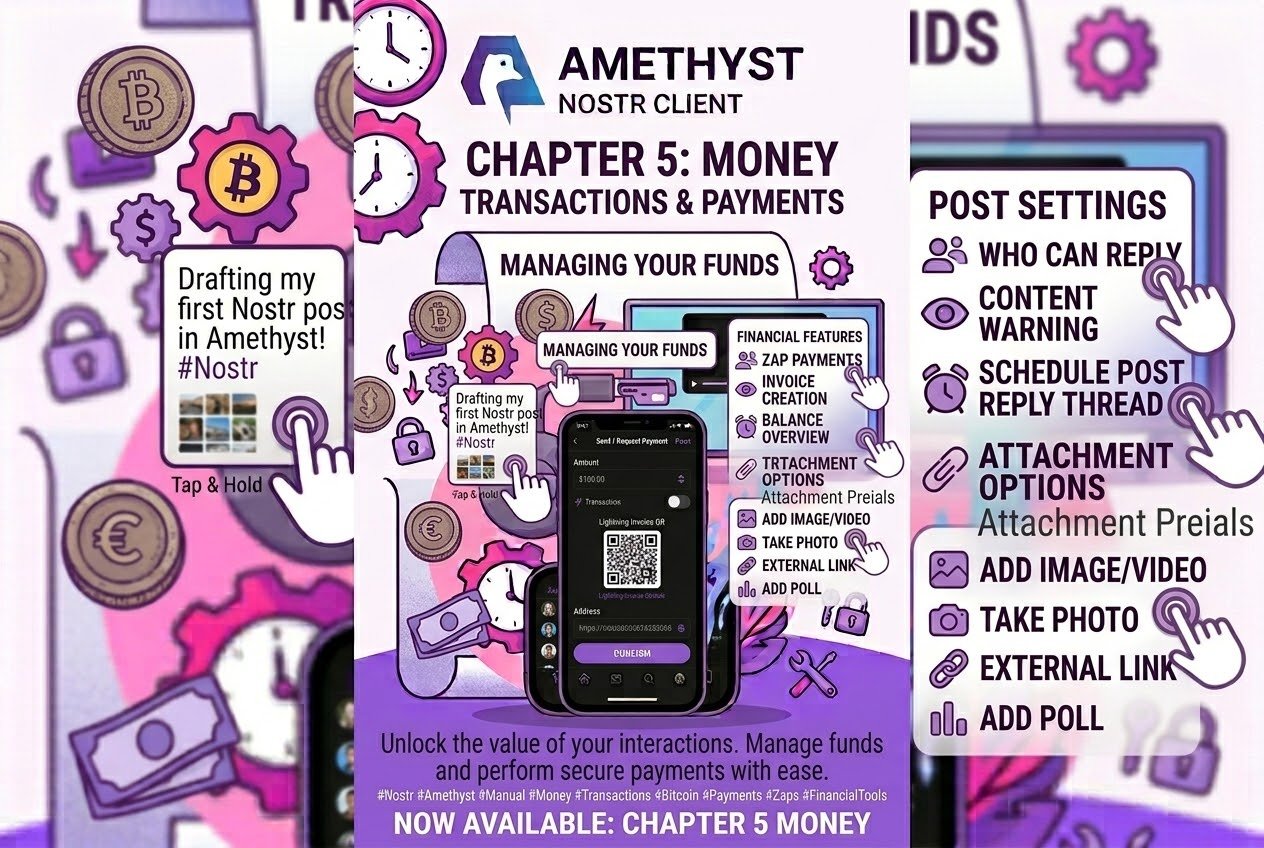
Zaps have more buttons than you think
There is an entire payment feature in #amethyst waiting behind a single switch, because it ships turned off.
Settings → Reaction Row → Pay → “Enabled” — and note that the settings catalog is one long scrolling page, so “Account Settings” is a heading you scroll past, not a screen you enter. Turn that on and a wallet glyph appears beside the bolt under every note. Tap it and you get a “Payment Targets” dialog listing every payment address the author has published — bitcoin, ethereum, monero, an IBAN, a Venmo handle, whatever they typed — each row with a QR button, a copy button, and a tap that hands off to whichever app owns that URI. It arrived in v1.09.0, was redesigned in v1.11.0, and ships off. Of the six rows in Reaction Row settings, Pay is the only one whose “Enabled” switch starts off. (It also has no “Show Count” switch, which it has in common only with Share.)
Your own side of it is Settings → Payment Targets, where the network type is a free-text field, not a picker — anything is accepted, so the capability is far wider than the bitcoin placeholder suggests. Every edit is in-memory until you press Save.
Five more ways to be paid (since v1.17.0)
Payment Targets learned five more types in v1.17.0. Add them under Settings → Payment Targets with the type cashme (or cashapp), nano (or xno), revolut, bip352 for a silent-payment address, or bip353 for a user@domain name, and each shows on your profile as its own chip — CASH APP, NANO, REVOLUT, SILENT PAYMENT, BIP-353 — and as a row in the Payment Targets dialog under your notes. A type outside the styled set still gets a grey chip in your own spelling.
Tap a chip or a row and it hands off: Cash App opens https://cash.app/$tag (a missing $ is added), Revolut opens https://revolut.me/<user>, Nano sends nano:<address> to whichever wallet claims that scheme, a silent payment goes out as a BIP-321 bitcoin:?sp=<sp1…> URI, and BIP-353 opens a bare payto://bip353/<user@domain>. Long-press any chip to copy the address. Two things to know. A BIP-353 name is not resolved — there is no DNS lookup — so the tap goes somewhere only if an installed app handles payto://; if none does, nothing opens, and long-press-to-copy is the way to get the name into a wallet. And nano: is not among the schemes Amethyst declares it can look for: a NANO row still hands off directly, but the zap picker’s hand-off chip (next) usually cannot tell a Nano wallet is installed, and doesn’t offer one.
That chip is the other half. Open the bolt’s amount picker on a note whose author publishes one of these targets and a chip reads “Pay in Cash App — you choose the amount there”; tap opens the app, long-press copies. It appears when Settings → Zaps → “Offer the author’s payment methods” is on (it is by default, and saves with Save like the rest of that screen), the note has an author, and the post carries no zap split. Cash App and Revolut are web targets and always qualify; the others need a wallet on the device that answers for their scheme. On Desktop only the web targets ever get a chip.
The bolt, briefly
Post one, on gestures, covered the bolt’s three gestures and the segmented rail. It works like this: when more than one kind of payment is possible, each amount becomes a segmented pill. The highlighted segment — the one showing the amount and a send arrow — sends on one tap. Tapping any other segment only selects it, and moves no money until you tap it again. Here’s why that control exists: a zap can now travel three rails — Cashu, Lightning, on-chain — with four kinds of wallet behind them, so the pill is the app asking which one you meant. It answers for you first: Cashu under 10 sats, on-chain over 10,000, Lightning in between. Switch away from that guess and asking and answering become two separate taps.
Settings → Zaps
Settings → Zaps, or long-press the bolt on any note.
The Zap Type picker has a setting worth knowing called Non-Zap — “No trace in Nostr, only in Lightning”. It pays over Lightning with no zap request at all, so no receipt is published and the note’s zap counter never moves. It is the only setting in the app that leaves no Nostr trace whatsoever. The shipped default is Public.
An empty preset list is a feature. Delete all your Quick Zap Amounts and every zap opens the custom-amount dialog instead. The stock four are 21, 50, 100 and 5000 — and the 5000 exists for a reason: on-chain zaps have a 1,000-sat floor, below which miner fees eat the payment, so the on-chain rail never offers your smaller presets.
One thing to know runs through the whole screen: nothing saves until you press Save, and Save publishes a relay event. These are synced account settings, not local ones — which is why, on a read-only login, the screen opens normally and Save shows a “Read-only user” toast.
How amounts are written (since v1.17.0)
Every zap counter, wallet balance and transaction row writes sats the same way: under 10,000 in full, then k, M and G, rounded half-up to a whole unit before the unit is chosen — so 12,500 reads 13k and 999,500 reads 1.0M. (Before v1.17.0 the rounding step never ran, which is why 12,500 showed as “12k”.) Anything under 0.01 sats shows as nothing at all. Reply and like counts round their own way and were never affected.
The Wallet tab
Look at your bottom bar. Slot three, by default, between Messages and Browser, is Wallet. It holds four kinds of wallet, each with its own behaviour:
- NWC — an external Lightning wallet paired over Nostr (NIP-47). Most of this section is about it.
- CLINK debit — an
ndebit1…pointer, pre-authorised on the service side. No secret to paste; the authorisation is your Nostr identity. - Cashu — the in-app ecash wallet (NIP-60), stored encrypted on relays.
- On-chain — a Taproot wallet derived from your Nostr pubkey. You don’t add it, which is why it’s not in the + chooser. It’s already there.
The first NWC wallet or CLINK debit you add automatically becomes your default — the starred card zaps are paid from — and nothing you add later changes it until you press Set as Default on another card. The star means what it says for zaps: make a CLINK debit the default and zaps are paid through it, ahead of any NWC wallet. For everything that isn’t a zap, the rule is different: the flows that need NWC specifically — the balance display, topping up a Cashu mint — use your first NWC wallet. The star does not move and no message appears. So the wallet wearing the star and the wallet paying for a mint top-up can be two different wallets.
A CLINK card’s body is not tappable — it shows a “Pay only” badge instead of a balance, and has no detail screen or history. Its buttons (Set as Default, Rename, a budget, the bin) are the whole card.
Two more behaviours worth knowing. Amethyst asks each wallet for its name over NIP-47 get_info and does not surface errors from that lookup, so a wallet with no name shown may have no alias, or may never have answered. Balance errors, by contrast, print in red on the card. And the empty state is keyed only on NWC-or-Cashu, so “No wallets connected” can appear directly under a funded Bitcoin card — the Bitcoin card is still yours to use.
Wallets on the newer NIP-47 extensions spec are recognised too (since v1.17.0): one that advertises 02 in its extensions tag, or lists any notification types, now gets Amethyst’s payment-notification subscription instead of being passed over. An extension method is withheld only when the wallet’s extensions tag lacks it and its capabilities omit the method; an older wallet is simply asked.
Connect one at Wallet → + → “Connect a Lightning wallet (NWC)”: a deep link to whichever wallet app answers it, a pasted nostr+walletconnect:// URI, or a QR scan. One thing to know about the return leg: coming back in via the deep link pre-fills the URI but does not save it, so finish the connection in that dialog before you leave, or nothing is connected.
Transaction history, and tapping a zap row (new in v1.16.0)
Wallet → an NWC card → Transactions. A paged list with All / Zaps / Non-Zaps filter chips and a Refresh icon in the toolbar, where a “zap” means the transaction’s NWC metadata carries a Nostr zap request.
And the new one, shipped in v1.16.0: tap any zap row and it opens the note that payment actually paid for. The whole row is the tap target — the avatar keeps its own separate tap through to the profile — and a small chevron › on the right is what marks a row as linked. Look for the chevron.
Four things to know:
- If the note can’t be resolved, the “Thread” screen you land on stays blank. There is no pre-flight check that the event exists and no separate loading or error state, so a Thread that stays blank means the note was not found.
- Profile zaps and plain payments carry no note, so those rows have no chevron and aren’t clickable.
- A very long zap comment removes the link. NWC-06 caps transaction metadata at 4096 characters and tells wallets to drop an over-long object whole, so Amethyst drops the embedded zap request first. The row survives, names the payee, and has no chevron. Keep comments short if you want the receipt to link back to the note.
- For an addressable note it prefers the
aaddress over theeid, so you get the current version, not the revision that was zapped.
Rows carry an avatar, a Nostr-resolved username, the comment or description, the date and the signed sats. They carry no fees, no preimage, no payment hash, no invoice, no settled or pending state, and there is no per-transaction detail screen — those fields exist on the model and are not rendered in this list.
Failures show a clear message: a timeout, a detected replay, a reply it could not decrypt — and, since v1.17.0, a wallet that has no history to give says so: “Your wallet does not offer transaction history”.
One thing to know about the filters. The filter chip row is an item inside the list, so when a filter yields nothing the chips disappear along with the rows, and the filter cannot be changed from that empty state. Refresh is the toolbar icon (there is no pull-to-refresh), and it clears and replaces the whole list.
Send and Receive
Send pays a BOLT11 invoice and nothing else — it does not take a QR scan, a Lightning address, a BOLT12 offer, an on-chain address or a Cashu token. Send has no timeout, so if the wallet never answers the spinner keeps turning.
Receive makes an invoice, shows a QR, and gives you Copy. There is no Share button and no expiry countdown, and the screen does not announce when the invoice is paid. The detail screen has no refresh control — to refresh your balance, leave and come back.
Ecash, which syncs across apps
Wallet → the Cashu card. A full NIP-60 wallet: per-mint balances, history, and four tiles — Receive (mint from Lightning), Send LN (melt back), Send Token and Redeem. Because it’s NIP-60 the wallet lives under your Nostr key and syncs across clients, which is why the setup wizard crawls every relay for an existing wallet before offering to make one. And creating a wallet publishes it only once you add your first mint — back out of “Now pick a few mints” and no wallet exists yet.
The wallet shows every mint holding your tokens, including ones you never configured, because nutzaps arrive at whatever mint the sender used. Those are badged “Not in your wallet” and get a Move button, which costs a small Lightning fee out of that mint.
The Cashu chip on a profile works like this: it only appears if the viewer’s wallet shares a mint that person accepts. The same profile shows a different set of payment rails to different people. If a friend can’t see your Cashu option, you two don’t share a mint.
One difference from the NWC list: Cashu history rows are not tappable, so there is no link from a row to the note.
Under the hood, since v1.17.0, a wallet on deterministic secrets reserves its NUT-13 counters and writes them to disk before calling the mint, so a crash in the middle of a mint, swap or melt cannot reuse a counter and have the mint lock those funds. Counters only move forward; an unused reservation is harmless, and a random-secret or seedless wallet has nothing to count.
On-chain, and where its switch lives
The Bitcoin card sits at the top of the Wallet screen with a “Public” chip, and that chip is not decoration. Your Taproot address is derived from your Nostr pubkey, so anyone who knows your npub can read this wallet’s whole balance and history off the blockchain — and anyone with your nsec can spend it. Tap the chip and a dialog says exactly that.
Sending on-chain gives you a recipient search, amount chips, and a Slow / Normal / Fast fee picker labelled with real sat/vB rates. On partial failure it tells you precisely what happened: “Payment was broadcast (tx …) but the receipt was not published.”
Tap the Bitcoin card for the transaction list. Unconfirmed transactions show “Pending” in orange where the date would be. And tapping a row with no matching zap event opens mempool.space/tx/<txid> in your browser — this explorer is fixed, and is used regardless of the block explorer configured in settings.
Now the switch. The single toggle that turns on-chain money on or off in Amethyst — the Bitcoin card, the profile chip, the on-chain rail in Send Payment, the on-chain option in the zap picker and the reaction row — lives at Settings → Profile UI. It is app-wide, not cosmetic, and it sits under the profile heading. If you are looking for where on-chain went: check the Profile UI settings.
BOLT12 offers (since v1.16.0)
v1.16.0 did two useful things for reusable offers. Every BOLT12 offer someone publishes now shows as its own chip in their profile payment rail, alongside Lightning, CLINK, Cashu and on-chain. That rail is where to look, because both profile-header wallet buttons were removed in the same release — the rail is now the route in.
And a zap now falls back to BOLT11 when your wallet refuses an offer, if the recipient also publishes a Lightning address. The retry list is deliberately narrow: only refusals raised before any payment was attempted qualify. A failed payment, an unknown error code, or a balance or quota refusal is never retried, because that first attempt might still settle and retrying would pay twice. The restraint is the feature.
Publish your own at Settings → BOLT12 Offers — as with Payment Targets, edits are in-memory until you press Save. And note that paying someone’s offer with “Pay with connected wallet” is a plain payment, not a zap, so their zap total doesn’t move. That button only appears if your NWC wallet advertises BOLT12 support, which not every wallet does.
Zaps inside DMs
Zap a private (NIP-17) message and Amethyst does three protective things automatically. A Public or Anonymous zap type is forced to Private, and the picker shows only two options — Private and Non-Zap, the one default it leaves alone. The Cashu nutzap rail is refused with an error dialog. The on-chain segment is dropped from the quick zap rail under the message. All three because those rails publish public events that would carry the private message’s id onto public relays. One thing to know: the custom-amount dialog’s “Send on-chain instead” button follows only the on-chain wallet switch, so it is still offered there.
An ordinary Private zap still emits a kind-9734 request and a kind-9735 receipt, and those carry ["e", <the private message's id>] and ["p", <recipient>] in clear text on public relays. Only the sender’s identity and the comment are encrypted.
So: Amethyst hides who paid and what they said; it does not hide that a payment happened, how much, or to whom. The existence, amount and recipient of a payment inside a DM remain publicly observable. If you need a payment in a DM to leave no Nostr trace at all, Non-Zap is the only setting that does it — and it costs you the receipt. Post seven, on privacy and safety, sets this beside the rest of what a gift wrap does and doesn’t hide.
The receiving side got better in v1.17.0. When a private zap lands on your note, the push notification now decrypts the request — you are its recipient, so your signer can — and names the real sender and their comment, where it used to show the one-time key and an empty message. This is the push-notification path; if your signer declines to decrypt (an external signer can), the notification shows the undecrypted request rather than vanishing. Post nine, on the far corners, has the rest of what notifications do.
The bits that pay other bits
- “Split and Forward Zaps” in the composer divides zaps on your post among people you name — and quoting or forking a note turns it on automatically with the original author in the split. Check the composer if you want to adjust it.
- Zap polls: tapping an option pays. If you have exactly one preset and it’s a valid vote amount, the tap zaps immediately with no confirmation.
- Zapraiser and the in-post invoice button are available only when your own profile has a Lightning address — post four, on composing, has the rest.
- Zap goals and zapraisers read between 0% and 100% (since v1.17.0): NIP-75 goal cards, the zapraiser bar and the live-stream goal header work progress out in decimals, so a whole-sat total no longer rounds to one end or the other. A goal of zero counts as met.
- Podcast value-for-value: the player’s “Stream sats” control pays a chosen rate per minute while you listen — and only during real playback, so scrubbing and pausing cost nothing. A wallet without keysend tells you: “Your wallet does not support keysend, so node recipients were skipped.”
- “Manual Zap Splits” appears when a split zap makes several invoices no in-app wallet can pay. The payable list is a five-entry in-memory cache, so five more payments — or restarting the app — leaves the screen saying “Feed is empty” with those invoices gone. Pay them while they’re listed.
- On the Play build only, a system assistant can zap for you through Android App Functions. It has firm guard rails: capped at 1,000,000 sats, and it refuses to zap someone you don’t follow unless you say otherwise. It also cross-checks the resolved profile against the name the assistant read aloud and aborts before any money moves on a mismatch. F-Droid has none of this.
The whole thing in one breath
Turn on Settings → Reaction Row → Pay for a payment surface beyond zaps — now with Cash App, Nano, Revolut, silent-payment and BIP-353 chips, where a BIP-353 tap opens a bare payto:// and long-press copies the name. On the zap rail, the segment showing the amount sends; any other segment needs a second tap, and a “Pay in …” chip hands off to the author’s own app. Set Non-Zap to pay without leaving a receipt, and empty your preset list to make every zap ask. 12,500 sats reads 13k. In wallet history, the little chevron means “tap to open the note this bought” — and a very long comment removes that link. The on-chain switch lives under Settings → Profile UI. And a zap inside a DM hides who sent it and what they said, but not that it happened, how much, or to whom — though when one lands on your note, the push notification now names the sender.
Go and look at the third icon on your bottom bar. You have a wallet.
Bonus:
A self custody wallet optimised for amethyst: https://github.com/davotoula/brollyzapper
Describes Amethyst for Android v1.17.0. Updated 2026-10-08. This post is republished as each part goes out, so the links below fill in over time. Bookmark it and come back.
Start here: the Amethyst manual
- Reference: https://revolut.me/<user>
- Reference: https://github.com/davotoula/brollyzapper
- Reference: https://cash.app/$tag
Write a comment