Amethyst Manual - Chapter 7: Privacy And Safety
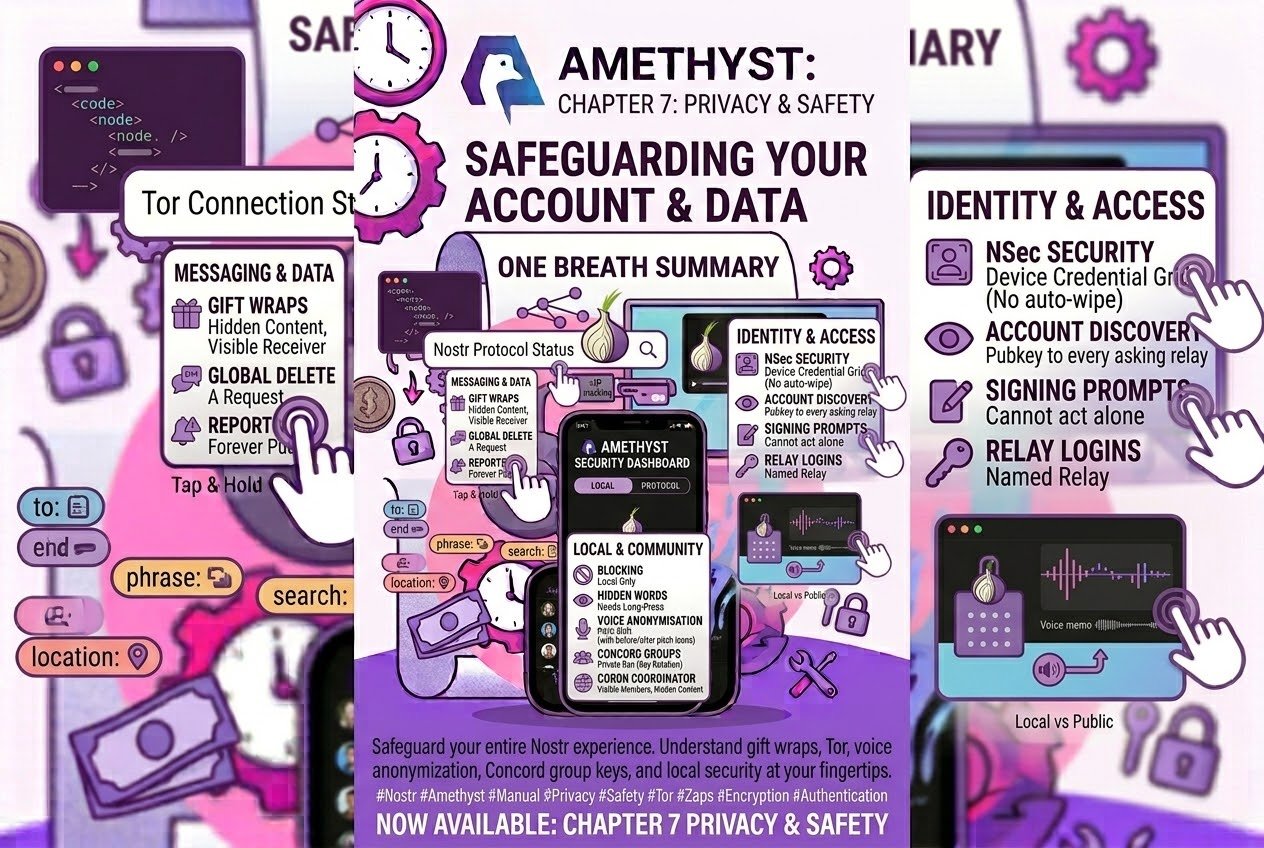
- What’s private, and how to keep it that way
- How your private messages are wrapped
- The rest of the encryption map
- Concord: who holds which key
- Zapping inside a private conversation
- What Tor covers, switch by switch
- Relay login: which relays learn who you are
- What a signing prompt shows you
- Mute, block and hide
- How the hashtag limit filter shows itself
- Content warnings, media and voice
- Reporting
- Your key, on this phone
- Deletion is a request
- On Play versus F-Droid
- The whole thing in one breath
What’s private, and how to keep it that way
Every privacy feature in #amethyst protects something specific, and the best way to use it well is to know exactly what that something is. This post is a map of those boundaries: what each protection covers, what stays visible, and where the switch lives. Here the caveats are the content — they are what let you lean on each feature for exactly as much as it gives.
How your private messages are wrapped
Your private messages are gift-wrapped (NIP-17), and the wrapping is genuinely good. The outer envelope is signed by a fresh random key every time, so the signature tells a relay nothing about you. Its timestamp is randomised within a two-day window, so the relay cannot reliably place it in time. The real kind, the real author and the real text sit inside two layers of NIP-44 encryption.
One part stays visible by design: the recipient is public. The wrap carries a plain p tag naming the person it is for — that is how their client finds it at all. So a relay holding your gift wraps learns who is receiving messages, how many, and roughly when; it does not learn who sent them or what they say. A group conversation emits one wrap per participant, so the relay also learns the size of your group and can watch its membership change.
Keep that in mind for the next switch. Settings → Privacy Options → DM Relays (on by default) routes DM relay connections through Tor, hiding your IP address from the relay. It does not hide who you are talking to, because that was never in the network layer — it is in the p tag, in the clear, by design.
The rest of the encryption map
Not everything in Messages is encrypted. The inbox lists every conversation type together, so here is which is which:
- Private notes (composer → the lock button) are the same gift wrap applied to an ordinary post; the Notify / “Visible to” list is the audience. The seal inside the wrap is signed with your real key, so your recipients always learn it is you, and anonymous posting is disabled while it is on. A reply to a private note is locked private: the toggle stays in that position.
- Marmot (MLS) groups, Cordn groups and Concord communities are end-to-end encrypted. Concord’s keys move with its invite links and its bans — see “Concord: who holds which key” below.
- Cordn groups (since v1.17.0) are MLS groups delivered by a coordinator you pick instead of by relays, and what that coordinator sees is on a card headed What this coordinator can see: message contents unreadable; who is in the group tied to your real account; who sends what under a throwaway key. It appears in New group step 3, Group info → (i) by the coordinator row and Settings → Cordn → Inspect a group link. The other way round: Cordn messages never enter the event cache, so they are never in search and never in Notifications — no notification is raised for one — and a room’s history lives on this device, encrypted at rest. Post ten, “Four ways to talk in private”, has the tour.
- Public channels (NIP-28) and relay groups (NIP-29) are plaintext, listed alongside the encrypted conversations. Settings → Messages is where that distinction is written down.
- Buzz workspaces are plaintext too, deliberately. Channel messages, forum posts and Buzz DMs are signed but not encrypted, so the relay can search and audit them. Confidentiality there comes from the relay declining to serve non-members — not from end-to-end encryption.
- Legacy DMs (NIP-04) are receive-only — Amethyst no longer sends them but still downloads and displays old ones, with the switch on by default. NIP-04 puts sender, recipient and timestamp in the clear.
Away from Messages, here is how the public/encrypted split falls. Everything you mute is encrypted — blocks, hidden words, muted hashtags, muted threads; Amethyst never publishes a public mute. The trade-off is that none of it is readable without your signer, which is why a read-only npub login shows an empty block list rather than a locked one. Person-follows are always public, while hashtag, place and community follows are always encrypted; neither has an option the other way. Your favourite feed algorithms are published publicly. Relay lists split by what they are for. The ones other people need in order to reach you are public by necessity: your outbox and inbox relays, your DM inbox relays, your KeyPackage relays. The ones that only configure your own client — Blocked, Trusted, Proxy, Broadcast, Indexer, Relay Feeds, Private Home — are created encrypted, with Search Relays the exception, created public. “Created” is the operative word: editing a list keeps whatever public/private split it already had, so one made by an older version or another client keeps the visibility it was made with. Since v1.17.0 Private Home relays break that rule in the safe direction: the next time you save that list, plain entries another client left in it move into the encrypted content, and everything Amethyst writes there is private (you still see the plain entries until then). Drafts are encrypted, and auto-saving is on, so a half-finished post is saved without you pressing save — to this phone only, unless you have Private Home relays configured, in which case it is published to them, encrypted.
Concord: who holds which key
A Concord community is Public while any live invite link exists, Private once none does, and its subtitle says which. In Public, a ban hides the member’s posts and stops them posting, but they keep the key until you also Remove from community (Members → ⋮), which re-keys everyone else. In Private, the ban itself rotates the keys; the Members dialog says so, but the message-sheet Ban runs the same action without mentioning keys, so check the subtitle first. What a removed member already received stays readable. Disappearing messages is a client-side timer that deletes new messages from devices and NIP-40 relays, never retroactively. Make private, Make public, Rotate key, Kick and Dissolve: post ten, “Four ways to talk in private”.
Zapping inside a private conversation
Zaps sent from a DM are forced Private — unless your default is already Non-Zap, which is kept — nutzaps are refused and the quick zap rail hides its on-chain option (the custom zap dialog still offers Send on-chain instead), so you cannot broadcast a payment out of a sealed conversation by accident. The receipt is the boundary: it still publicly carries the message id, the amount and the recipient; only your identity as sender and your comment are encrypted. Non-Zap is the only option that leaves no public trace at all. Post five, on money, has the mechanism.
What Tor covers, switch by switch
Settings → Privacy Options. The engine is Tor’s pure-Rust implementation, Arti, compiled into the APK — so Tor security fixes reach you through app updates, not separately.
The routing switches are individual, and the defaults tell you most of what you need:
- On by default: Onion Url/Relays, DM Relays, Untrusted Relays. That last is labelled “Untrusted” and means relays new to you — under the outbox model, hundreds of them, which makes it the switch that matters most for IP exposure.
- Off by default: Trusted Relays, Money Operations, Nostr Address Verification, URL Previews, Images, Videos and Media Uploads.
On stock settings, then, your IP reaches every image host, every video host, every media server, every domain whose NIP-05 you view and every site with a link preview in your feed — scrolling past a post is enough. “All but Media” leaves the media three off deliberately, because Tor makes media slow; Full Privacy is the only preset that turns them on.
Three more boundaries. Trusted Relays is off in the permissive direction: with the switch off, every relay in your own lists connects directly and sees your IP, as the relay settings copy states. Localhost and Yggdrasil overlay relays always bypass Tor, before any switch is consulted — necessary for a local relay, and it means “Full Privacy” covers every connection except those. And profile pictures have no Tor setting of their own: avatars follow the Images switch, even where a preset’s description mentions them separately.
One side-effect: Money Operations also repoints OpenTimestamps verification from blockstream.info to mempool.space — Settings → Bitcoin Explorer (OTS) shows the badge AUTO (TOR) — so that switch also chooses which third party sees your Bitcoin lookups, unless a custom explorer URL overrides it.
Two things that are not switches. Push notifications have no Tor setting of their own — registration follows the Trusted Relays flag, off by default. And the live Tor indicators are the Onion routing row in the in-app browser’s pill, the Tor status icon in the drawer footer (since v1.17.0; shown while Tor is on, and a tap opens Privacy Options) and the Tor icon on relay rows; media and other requests do not display which route they took.
In the in-app browser, a page set to Tor loads nothing until Tor’s proxy is confirmed in place, Tor wins for every open page while any page needs it, and camera, microphone and location answers are per site, reviewed under Connected Apps → the site → Site permissions. Post eleven, “A browser that waits for Tor”, has the detail.
Finally, on a relay-group channel list you may meet a card offering “Use clearnet” for a relay that is not answering over Tor. That button is an account-level change: it permanently adds that relay to your Trusted Relay List, which is published, so treat it as a lasting decision rather than a one-off.
Relay login: which relays learn who you are
Settings → Relay login decides which relays get to learn who you are, and which default you are on depends on when you arrived. An account first logged in on a recent version starts on “Always log in” — every relay that asks — which under the outbox model means relays chosen by the people you follow, not by you. An account that predates the setting was carried over as “Decide per relay” instead; open the screen to see which you are on. Post eight, on relays, covers the screen; the privacy-relevant parts are these. The four per-situation exemptions (“it’s my relay”, “reading someone I follow”, “messaging someone I follow”, “messaging anyone else” — the first three on, the last off) exist only in “Decide per relay” mode, and are not shown in the other two. Switching to “Never log in” purges every existing session grant. And one hard rule outranks everything, including an “Always” exception you set yourself: relays on your Blocked Relays list are never connected to and never logged in to.
What a signing prompt shows you
When a NIP-46 client, a napplet or a page in the in-app browser asks you to sign something, the consent dialog shows the unsigned event the way a feed would — and since v1.17.0 that preview is read-only: poll votes, RSVPs, follow toggles, profile and link taps do nothing, drags still scroll, the raw-JSON toggle still works.
A relay login (kind 22242) gets a card of its own, because it is not a post: as the card puts it, it logs you in to the relay, and whoever holds it can read what the relay only shows to you, like your private messages. The card lists one row per relay with the full address in bold, never shortened, “No relay named in this login” in red if there is none, and the challenge in monospace. A row turns red with “This is not a plain relay address. Check it before signing.” when the address is not already in its normal form: no scheme, whitespace or %20, anything Amethyst would rewrite to normalise it (adding wss://, converting http(s)://, a scheme typo, two URLs run together, a default port), hidden or bidirectional characters (shown as \uXXXX), or text that will not parse. It does not flag ws://, upper case, a trailing slash, an IP address, punycode or look-alike letters, an unusual port or path, or a relay that is simply not on any of your lists — it catches a mangled address, not an unfamiliar one. A relay login asks every time, under every permission policy. (These are NIP-46 and napplet/browser prompts; Amethyst is a NIP-55 client, not a signer for other apps.)
Mute, block and hide
- Block a user (note long-press → Block; profile ⋮ → Block & Hide User) hides them locally. It does not stop them reading you, quoting you or replying to you, and they are not told. Tick “don’t show again” on the confirm dialog and the dialog stays off from then on; there is no setting that brings it back.
- Hidden Words (Settings → Security Filters → Hidden Words) hides posts containing a word, across feeds, search, hashtag and location feeds. The list lives on that Settings screen rather than on a post’s menu, and it needs a private key. Removing entries is a three-part gesture: long-press a row to enter selection mode; once you are in it, taps toggle further rows; outside selection mode, a tap leaves the list as it is.
- Mute a hashtag lives on that hashtag’s own feed (⋮ next to Follow). Security Filters has no hashtag row, so there is no consolidated list of muted hashtags, and the hashtag’s own feed is also where you unmute it.
- Mute a thread resolves to the thread root, and is deliberately hidden on public-chat messages, where every message shares one root and muting would hide the entire room. Undo: Security Filters → Muted threads.
- Filter spam (Security Filters) is on by default: identical posts repeated five or more times by people you do not follow are hidden automatically. The Spammers list it feeds is local, in-memory and rebuilt every run — never published, never synced, so it starts fresh each time the app does.
To review what is being hidden, open any feed’s top-bar switcher and choose Mute List: it shows the posts of everyone you muted, with hiding turned off.
How the hashtag limit filter shows itself
Settings → Security Filters → “Max hashtags per post” defaults to 8 and is on, so a post with nine or more hashtags is filtered out — and where you meet it decides what you see. In a feed it is dropped, and nothing renders in its place. Rendered directly — in a thread, a quote, a notification — you get a card saying the post has more than 8 hashtags, with a Show Anyway button that applies to that one card only.
Content warnings, media and voice
Show sensitive content (Security Filters) is a three-way: Warn (default), Show, Hide. It acts only on posts whose author flagged them — nothing scans content, so an unflagged graphic image renders normally at every setting, including “Hide”. The reason text is author-supplied and unverified. Marking your own post sensitive is advisory metadata too: whether it is honoured is up to the reader’s client, and the relay stores the file either way.
EXIF stripping is on by default on every image upload — “Remove private metadata” in the composer, covering all GPS fields, camera make, model, serial numbers, software, artist and timestamps. It is a switch, and it is force-disabled whenever a video is being compressed, on the reasoning that re-encoding drops metadata anyway. The format exception is AVIF, which cannot be safely rewritten, so Amethyst inspects it instead: a clean file passes, and one carrying any sensitive tag is refused outright, with no “upload anyway”.
And one to read twice: voice anonymisation is pitch-shift only. The app says so itself — basic pitch changes can potentially be reversed by determined listeners. Treat it as obfuscation, not anonymity.
Reporting
Two menus that look alike behave differently. Reporting a note opens a dialog: you pick a reason, can add a line of your own, and press a button. The six profile report rows (profile ⋮) are one tap each, publishing immediately with no confirmation and no free-text reason — so tap them deliberately. What the two share: filing a report also blocks the person, every time, from either menu.
Reports are public. Your npub is permanently attached to every report you file; there is no anonymous report. Reporting a private DM reports only the author: the message id is deliberately left out so it never reaches public relays, which means the report carries no message evidence.
On the receiving side, Warn on reports counts reports from people you follow only, at a threshold that defaults to 5 (the stepper under the switch takes it from 1 to 999): a post reported by a hundred strangers triggers nothing. The Reports tab on a profile is unfiltered and unweighted, so read it with that in mind.
Your key, on this phone
- Settings → Danger Zone → Backup Keys (also behind the Home “Back up your keys” nudge) is the only screen in the app that blocks screenshots and blanks its app-switcher thumbnail. Your DMs and your wallet are not covered — and the QR buttons put your key on screen, where that blocking stops your screenshots, not somebody else’s camera.
- Your key is a paper grid (since v1.17.0): the Secret key card shows your nsec as three numbered rows of monospace groups, masked until Tap to reveal. Reveal, Copy and QR each go through your device credential, asked once per visit; when the app goes to the background the grid re-masks, the QR closes and the gate locks again. On a phone with no screen lock the gate approves on its own — the lock screen is what does the work.
- Copy puts your plaintext nsec on the clipboard flagged sensitive and wipes it 60 seconds later, but only if the clipboard still holds that exact value. There is no on-screen countdown, so count the minute yourself.
- The Encrypted key card (ncryptsec) asks for the password twice — Repeat password, “Passwords don’t match” until they do — and needs at least 12 characters; Encrypt key stays disabled until then. The result comes with its own Copy, QR and Use a different password. That Copy is a plain copy: not auto-wiped, not flagged sensitive, and its toast still says “Secret key (nsec) copied”. Typing twice is the whole confirmation; there is no decrypt-to-verify step. The 12 characters apply to new ncryptsecs — an older one with a shorter password still logs in. Both clipboard copies are best-effort anyway; a clipboard manager that already captured the value is out of reach.
- Typing a key from paper works (since v1.17.0): the login field strips spaces, line breaks and dashes and ignores case, as long as what is left starts with
nsec1,npub1,ncryptsec1ornprofile1; it does not correct 0/o or 1/l. Two ncryptsec fixes ride along: a valid key an earlier version rejected as the wrong password now opens, and one whose scrypt cost this phone cannot allocate is refused as “Invalid key: Not enough memory…” instead of hanging. - There is no app lock on Android. No PIN, password or biometric gate on the app, on Messages or on the wallet. (Desktop has a Privacy Lock; Android does not, and that is a screen gate, not encryption at rest.) Your phone’s own lock screen is the gate, so anyone who unlocks your phone can read your DMs.
Deletion is a request
Request Deletion publishes a request. Relays need not honour it, other clients may already hold the event, and everyone who saw it still has it. The ⋮ menu calls it “Request Deletion”; the long-press menu calls it “Delete” — both are the same action, and both are requests.
Deleting a private message stays private (since v1.17.0). Delete a NIP-17 message from the ⋮ menu, the long-press menu or the chat action sheet and Amethyst sends an encrypted deletion request to the people in that conversation; nothing goes to a public relay, and the confirmation says which kind of request is about to go out (encrypted to the conversation, to everyone in a Marmot group, or to public relays). Before 1.17 the long-press path published a public deletion for every note, so a DM deleted from there put its message id on public relays — an “upgrade” fix. In a Cordn room, Delete posts a signed withdrawal: the bubble reads “Message deleted” for everyone, and the coordinator keeps the ciphertext.
Request to Vanish (Settings → Danger Zone) asks relays to delete everything up to a cut-off date that defaults to now — everything you have ever posted — and compliance is again optional. Vanish History has a per-relay Test button that probes whether a relay still serves your pre-vanish events; it is shown for per-relay requests, so if you want to audit the result afterwards, send per-relay requests rather than the ALL RELAYS one.
On Play versus F-Droid
Good news here: every privacy feature in this post is in both builds, and Tor is not flavour-gated. Do keep the app current, though. v1.16.0 fixed a bug where any site’s Onion-Location header could redirect Tor-routed traffic for 24 hours, and updated the bundled Tor past two medium-severity issues. Both are “upgrade” rather than “configure”. So is v1.17.0 on a 32-bit device: Tor now ships for armeabi-v7a and x86. Before, those builds could not load Tor — it reported Off for the life of the install, and relays routed through it by default were dialled on a port nothing listened on. The commit notes the 32-bit binaries had not been exercised on a 32-bit device, so a glance at the drawer footer’s Tor icon after updating is worth the second.
The whole thing in one breath
Gift wraps hide what you said and who said it, not who received it. Tor hides your IP from the relays you told it to, and media, previews and NIP-05 are not in that set by default. On a new account your pubkey goes to every relay that asks. Blocking is local. Hidden Words needs a long-press. Reports carry your name for ever, and block the person too. Deletion is a request, and deleting a DM stays inside the DM. A signing prompt cannot act on your behalf, and a relay login names its relay. Your nsec is a grid behind your device credential; the encrypted copy is not auto-wiped. In Concord, Private means a ban rotates the keys and Public means it does not. A Cordn coordinator sees who is in the group, not what is said. Voice anonymisation is a pitch shift. And the app relies on your phone’s lock screen.
Describes Amethyst for Android v1.17.0. Updated 2026-10-08. This post is republished as each part goes out, so the links below fill in over time. Bookmark it and come back.
Start here: the Amethyst manual
Write a comment