My Bot Finally Talks to Me (Over Nostr, Obviously)

- The Setup, Simplified
- Things That Broke (In Order Of Pain)
- The Flip That Made It Work
- Trust, But Verify, Literally
- Why I Wrote Any Of This Down
- Bottom Line
My bot watches a few things, and when something moves, it’s supposed to poke me. Simple requirement.
Attempt one: a Telegram bot. Worked in few minutes. And that’s exactly the problem, every alert I care about was flowing through somebody else’s servers, on infrastructure I have zero control over. Fine for a meme group. Not fine for the stuff I actually monitor. At some point I stopped being able to justify it to myself, so I pulled the plug.
Attempt two: nstrfysh, a Nostr-native take on ntfysh by @npub1...8axkl , notifications as kind 7741 events over relays. Genuinely like the idea, and it’s a nice piece of work by someone in the ecosystem. But, it just didn’t hold up for what I needed.I wanted to love it. I closed the tab.
Attempt three: wn-agent + @npub1...8r3ec. Alerts land end-to-end encrypted in a normal group in the White Noise app. The bot never touches MLS, never holds a key, never speaks to a relay. It’s a thin client shouting newline-delimited JSON down a Unix socket at a local daemon that does all the scary parts.
That one works. It also took me a couple of days with the support of @npub1...lx3vt and @WhiteNoiseSupport to get past “dead on arrival,” so here’s the honest write-up.
The Setup, Simplified
- Keys live in the daemon. The bot process gets nothing it could leak.
- The socket is the boundary. Bound
0600inside a0700directory, same-user filesystem access is the auth model. - The group is just a group. On my side, it’s an ordinary incoming invite in the White Noise app. Nothing to install, nothing to learn.
Clean design. Terrible first draft.
Things That Broke (In Order Of Pain)
1. Rust version drama. The repo pins 1.97.1 in rust-toolchain(.)toml. rustup dutifully downloaded it, and then the cargo binary simply wasn’t there. rustup component add cargo insisted everything was up to date while the file did not exist. I bumped the pin to 1.99.1, which I already had locally, and the whole workspace built fine.
2. The silent killer: an empty relay list. wn-agent has no relay defaults. Start it without explicit --relay flags and every account open fails with startup failed code=app_error, a deliberately detail-suppressed error that tells you absolutely nothing. The nasty part: an accountless home serves perfectly fine, so the daemon looks healthy while being quietly useless. It’s like a doctor telling you “you’re unwell” and then walking out. Pass both relays. Always.
3. Permissions were “too open”, on purpose. My home directory was 0755. The daemon died instantly with PermissionDenied and created nothing. That’s not a filesystem problem, it’s fail-closed policy: the fs-private layer refuses anything looser than 0700. Once I stopped arguing and ran chmod 700, it just worked. Sometimes security is being annoying on purpose, and that’s the point.
4. The secret file was world-readable. import-identity does the right thing reading your nsec from a prompt with echo disabled, and then writes account.json as 0644 inside an otherwise owner-only store. One chmod 600 fixes it, but you have to notice, and “tools that touch secrets should finish the job” is a hill I’ll die on.
5. Identity crisis. My notifier’s key was still logged into the White Noise app. Key packages resolve per-client, so invites kept landing in the wrong place. One identity, one client, sign it out everywhere else first.
6. The daemon that didn’t survive the terminal. I detached it with setsid, which is great right up until the session that spawned it goes away. “Survives the terminal” and “survives the reboot” are two different requirements, and I only needed the second one. It’s a systemd user unit now.
The Flip That Made It Work
Once the notifier’s profile was signed out of the app, the app could no longer resolve a key package, so inviting the bot from my phone stopped working. Solution: invert the direction. The daemon creates the group and invites me.
There’s no CLI subcommand for that. So I spoke the control protocol directly, a group_create request as newline-delimited JSON over the Unix socket. About ten lines of Python, and honestly the fastest way to understand any protocol: write one line, read one line, see what comes back.
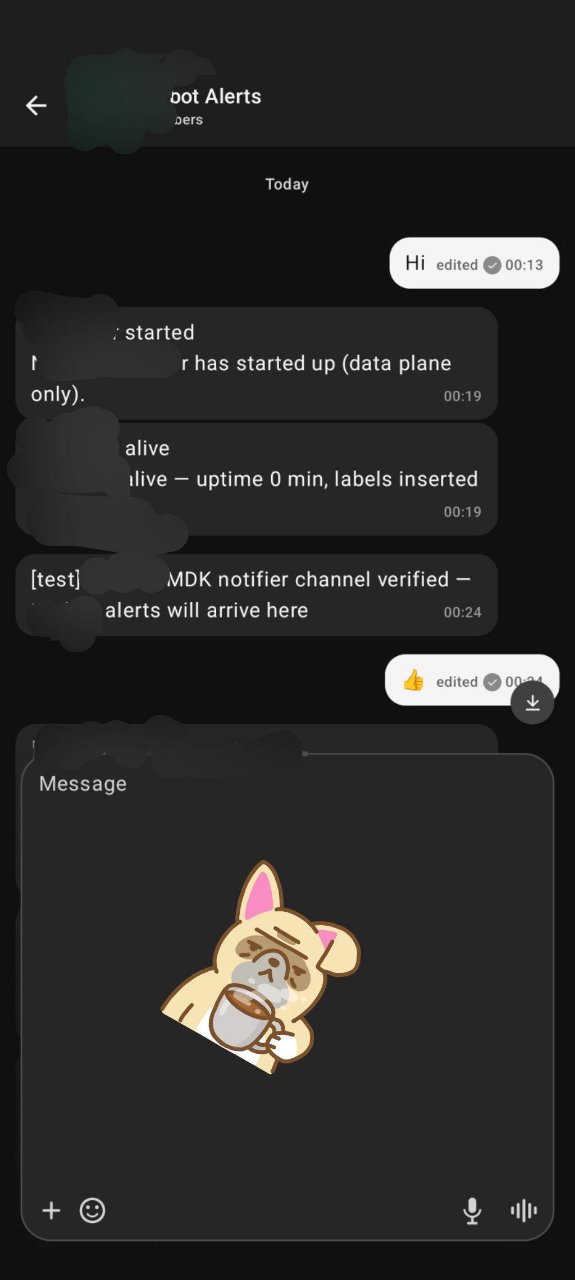
The Welcome hits the relays immediately. On my side, accepting it was a completely normal incoming invite. Which is the nicest compliment I can pay the design, the weird part stayed invisible.
Trust, But Verify, Literally
Before I wired up the bot, I proved both directions through the exact wire path the notifier uses:
- An inbound listener caught my test message, decrypted by the daemon.
- A
send_finalprobe came back confirmed.
Only then did I touch the config. A pipeline that fails silently is worse than one that fails loudly, because you keep trusting it right up until the night you actually needed it.
Why I Wrote Any Of This Down
Because the failure signatures are the documentation.
Runbooks turn into happy-path fiction within about six months. What I actually needed at 1 a.m. wasn’t a tutorial, it was a lookup table:
| Log line | What it means | What to do |
|---|---|---|
startup failed code=app_error |
Empty relay list | Add both --relay flags |
io_error PermissionDenied, nothing created |
Home dir too loose | chmod 700 the home |
startup failed code=auth_token_file |
Token file missing or empty | Create it, or drop the flag and the config field |
cannot connect … Connection refused |
Daemon down, or a stale regular file at the socket path | Start the daemon; rm anything sitting at the socket path |
wn-agent rejected the notification |
Daemon answered with an error (usually an unknown group) | Check group_id and membership |
Bottom Line
Telegram was easy and centralized. nstrfysh was decentralized and didn’t quite work for me. This one is decentralized and works, because the security lives in the shape of the system rather than in a checklist.
Build stuff for yourself. When it breaks, write down how it broke. Someone else is walking into the same wall right now.
Write a comment